1
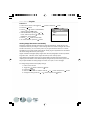
6. Playback the recorded images the same way as you would playback them on the the
image LCD display.
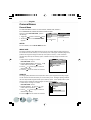
The VIDEO OUT function is highly power consumptive. Hence, batteries may be consumed
sooner than normal.
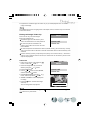
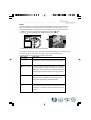
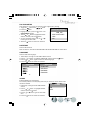
Erasing Still Image /Video Clip
There are two ways to erase images:
Erase One and Erase All
Recorded images in an SD memory card
cannot be erased when it is write-protected.
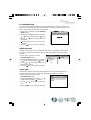
To erase the pictures recorded in the
memory card, make sure to insert the card
before deletion.
ERASE
01:20
ERASE ONE
ERASE ALL
To erase the pictures recorded in the camera (internal memory), do not insert any memory
card or the camera will not be able to read the internal data with an external memory card
attached.
External memory (memory card) always has priority over internal memory - whenever a
memory card is inserted into the camera ,the camera will use the memory card for both
capture and playback.
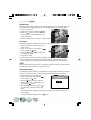
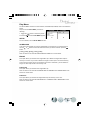
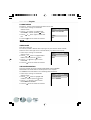
ERASE ONE
1. Power on the camera, and toggle the
button to select the
mode.
2. Select the image/video clip you wish to
delete by using the
or
button.
3. Press the
button.
4. Use the
or
button to select ERASE,
and then press the
button.
5. Select ERASE ONE by using the
or
button, and then press the
button.
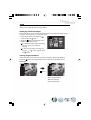
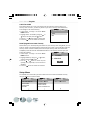
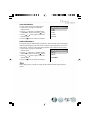
6. “ERASE CURRENT?” will be displayed in
the image.
7. Press the
button to delete this image/
video clip.
The next image/video clip appears.
If you want to cancel the deletion, toggle the
button to any other mode.
ERASE
01:20
ERASE ONE
ERASE ALL
ERASE CURRENT?
button to exit from menu mode or toggle the
15