1
Content Filtering
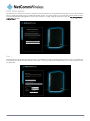
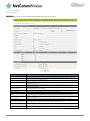
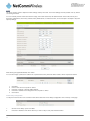
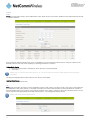
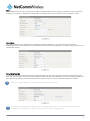
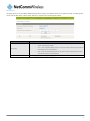
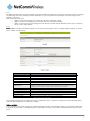
This page allows you to configure content, URL and host filters to restrict improper internet content access from LAN computers
across one or both of the MBB and Ethernet WAN connections.
Figure 35: Advanced View - Services - Routing - Content Filtering
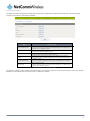
OPTION
Content Filter Settings
DEFINITION
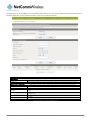
Select which connection type the content filtering will apply to. Options include the mobile broadband
connection only, the Ethernet WAN connection only or both the 4G and Ethernet WAN connections.
Web Content Filter:
Tick the boxes to enable Proxy, Java or ActiveX content filtering. Click “Apply” to save any settings changes.
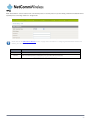
URL Filter:
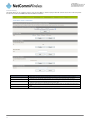
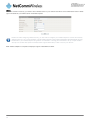
Block access to a website by entering its full URL address and clicking the “Add” button. Rules previously
created and listed here can be deleted at any time via this page.
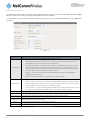
Web Host Filter:
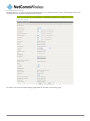
Access to certain websites can be blocked by entering a keyword. Rules can be deleted at any time via this
page.
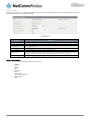
Add a Host (keyword) Filter
Enter a keyword that you want to add to the filter list.
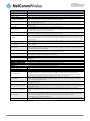
Table 24: Advanced View - Services - Routing - Content Filtering
3G22WV – 3G WiFi Router with Voice User Guide
35
www.netcommwireless.com