1
Table of Contents
Overview ........................................................................................................................................................................................ 4
Introduction ................................................................................................................................................................................................... 4
Target Users.................................................................................................................................................................................................. 4
Prerequisites.................................................................................................................................................................................................. 4
Telephony Requirements ....................................................................................................................................................................... 4
Notation ........................................................................................................................................................................................................ 4
Product Introduction ..................................................................................................................................................................... 5
Product Overview .......................................................................................................................................................................................... 5
Package Contents ......................................................................................................................................................................................... 5
Product Features ........................................................................................................................................................................................... 5
Physical Dimensions and Indicators ............................................................................................................................................ 6
LED Indicators ............................................................................................................................................................................................... 6
Integrated Interfaces ..................................................................................................................................................................... 7
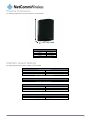
Physical Dimensions ...................................................................................................................................................................................... 8
3G22WV Default Settings............................................................................................................................................................................... 8
Safety and Product Care ............................................................................................................................................................... 9
Transport and Handling ................................................................................................................................................................. 9
Installation and Configuration of the 3G22WV ........................................................................................................................... 10
Placement of your 3G22WV ......................................................................................................................................................................... 10
Avoid obstacles and interference .................................................................................................................................................................. 10
Cordless Phones ......................................................................................................................................................................................... 10
Choose the “Quietest” Channel for your Wireless Network ............................................................................................................................ 10
Hardware installation.................................................................................................................................................................................... 11
Connecting via a cable ................................................................................................................................................................................. 11
Connecting wirelessly .................................................................................................................................................................................. 11
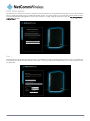
First time setup ............................................................................................................................................................................................ 12
Management Console Login Procedure ........................................................................................................................................................ 15
Management Console .................................................................................................................................................................................. 16
Basic Status Overview ......................................................................................................................................................................... 16
Wireless .............................................................................................................................................................................................. 17
Internet ................................................................................................................................................................................................ 18
Advanced Features ...................................................................................................................................................................................... 19
Home .................................................................................................................................................................................................. 19
Status ................................................................................................................................................................................................. 19
Internet Settings .................................................................................................................................................................................. 21
WAN Failover Backup .......................................................................................................................................................................... 29
Wireless Settings ................................................................................................................................................................................. 36
Services ...................................................................................................................................................................................................... 46
System ................................................................................................................................................................................................ 53
Additional Product Information ................................................................................................................................................... 60
Accessing a connected USB drive................................................................................................................................................................ 60
Using the 3G22WV to make and receive telephone calls ............................................................................................................................... 62
Handset requirements.......................................................................................................................................................................... 62
Maximum REN Loading ....................................................................................................................................................................... 62
How to place a call .............................................................................................................................................................................. 62
How to receive a call ............................................................................................................................................................................ 62
Answering an incoming call when on a call ........................................................................................................................................... 62
Accessing voicemail............................................................................................................................................................................. 62
Call feature codes ................................................................................................................................................................................ 63
Troubleshooting the Voice Function ...................................................................................................................................................... 64
Technical Data ............................................................................................................................................................................. 65
Electrical Specifications................................................................................................................................................................................ 65
Environmental Specifications / Tolerances .................................................................................................................................................... 65
FAQ .............................................................................................................................................................................................. 66
Appendix A: Tables...................................................................................................................................................................... 68
Legal & Regulatory Information................................................................................................................................................... 69
Consumer Protection Laws .......................................................................................................................................................................... 69
Product Warranty ........................................................................................................................................................................................ 69
Limitation of Liability ..................................................................................................................................................................................... 70
FCC Regulations:......................................................................................................................................................................................... 71
IC Regulations: ............................................................................................................................................................................................ 72
Contact......................................................................................................................................................................................... 73
3G22WV – 3G WiFi Router with Voice User Guide
3
www.netcommwireless.com