1
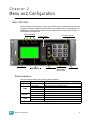
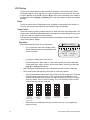
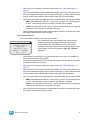
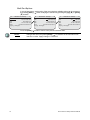
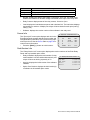
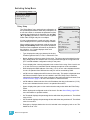
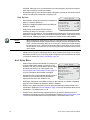
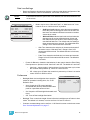
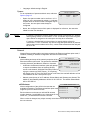
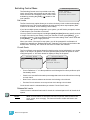
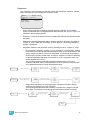
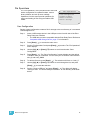
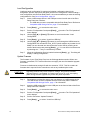
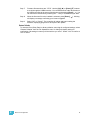
LCD Display The Echo Controller features a high contrast 21 character, 8 line backlit screen. When scrolling through the menu, the first row of the LCD display is reserved for the menu title. A marker displays at the top or bottom right of the screen indicating more content to be displayed. Use the [Up] (▲) or [Down] (▼) on the user interface to scroll the available displays. Wake The menu system and LCD backlight are set, by default, to sleep after three minutes of inactivity. Any button press wakes the user interface and LCD backlight. Home Screen The home screen is shown by default at power-up, when there is a valid configuration. The home screen is also the default display that is reverted back to automatically from any point in the menu after two minutes of user inactivity. Two displays are available from the home interface including the “Relay Status” and the “Arch Control Status” display. Relay Status L Relay Status Relay Status displays seven lines of information. • System OK DMX Start = 101 DMX:Act sACN:Act 120V v.1.0.0 • [L] symbol is shown when levels are set. • Switch between the “Relay Status” screen, which shows information about the current state of the relays, and the “Arch Control Status” screen by pressing the [Up] (▲) or [Down] (▼) buttons. • Line 2 shows the configured rack name, followed by the rack number in brackets. • Line 3 shows blocks that represent set levels for each relay channel. • Each block shows the status of the relay channel from left to right with 1 at the left and the highest number (up to 24) on the right. Levels are indicated for each channel in a separate block of pixels. For channels that have a mode of “normal” relay only status, only 0 or 100% is shown. For 0-10V Dimming Control or DALI Control channels, the level is shown. 0% Two bottom left pixels used as place holder • 15 Rack [1] Line 1 shows the name of the display, Relay Status. Additional symbols may display on the first line including: 1-15% Bottom row filled 16-30% Bottom two rows filled ...continue in steps of 15% 91-100% When relays are installed that occupy more than one slot, only a single bar is shown per relay. Unison Echo™ Relay Panel User Manual