1
Index
R
radio
certifications 103
power output 103
radios
802.11 53
Bluetooth 54–57
WAN 46–48
wireless security 59–68
rain and dust resistance 103
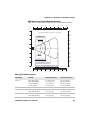
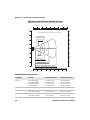
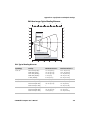
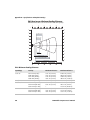
reading distances
EA11 107, 108
EA21 105, 106
Ready-to-Work indicator LED,
described 23
recharge temperature 103
recharge times 103
red battery LED, described 6
regulatory approvals 104
reset, performing 97
resource kits, for application
development 72
RS-232 adapter, described 109
S
scan button locations, illustrated
CN4 25
CN4e 26
scan handle, described 110
scanner
Bluetooth, connecting to 55
default settings 112
troubleshooting 92–93
Scan-to-Connect 45
screen 18
aligning 21
cleaning 100
icons, understanding 20
no response, troubleshooting 90
specifications 103
stylus, using 19
Windows Mobile Today 18
Screen Off mode 22
security 103
security, wireless 59
802.1x with Funk 63
802.1x with Microsoft 67
certificates, loading 68
LEAP with Funk 64
static WEP
with Funk 64
CN4 Mobile Computer User’s Manual
WEP with Microsoft 68
WPA with Funk 61
WPA with Microsoft 65
Service Programming Code (SPC)
47
signature capture, described 32
SIM card, installing 37
single dock, described 109
SmartSystems Foundation 44
applications, installing 73
AutoDeploy 45
Intermec Settings, using from
console 49
Scan-to-Connect 45
upgrading CN4 84
where to download 45
SmartSystems Platform Bundle
files, described 82
removing features to free up
memory 80
upgrading with miniSD card 85
specifications 102–104
communications 102
electrical 103
environmental 103
hardware 102
physical 102
power 103
SSPB. See SmartSystems Platform
Bundle
Standard 118
static WEP
with Funk 64
with Microsoft 68
storage temperature 103
stylus, using 19
super capacitory, as backup power
4
Suspend mode 15
symbologies
configuring the CN4 to read 48
default settings 110
enabled by default 27
symbology options, default 112
System ID (SID) 47
T
temperatures 103
terminal emulation,
troubleshooting 91
touch screen, aligning 21
131