1
Chapter 2 — Connecting and Configuring the CN4
Configuring the Phone
The CN4 supports two types of cellular phone technology:
•
CDMA EV-DO Rev A
•
UMTS and GSM/EDGE
With the radio module installed in the CN4, you can send and receive
telephone calls as well as transmit data through wide-area (WAN)
cellular networks.
The CN4 provides a phone speaker, microphone, and speakerphone.
It also supports Bluetooth headsets or hands-free kits.
By default the phone is enabled. After you activate the phone, you can
customize the features of the phone and network settings. For help,
refer to the Windows Mobile help on your CN4.
Activating the CDMA Phone
The CDMA WAN radio module is installed at the factory. To activate
your CDMA CN4, contact the carrier you have chosen and set up
accounts for each device. The following table lists the carriers that
Intermec currently supports. If your carrier is not listed in the table,
please contact Intermec product support to see if it is now supported.
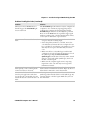
Currently Supported Carriers
Country
Carrier
United States
Sprint, Verizon
Canada
Bell Mobility
The carrier will require the Electronic Serial Number (ESN) to start
the activation process. You can find the ESN:
•
on a label located in the upper right corner of the battery
compartment.
•
on the outside of the CN4 shipping box.
The activation process is slightly different for each CDMA carrier.
Your carrier sales contact and an Intermec representative can guide
you through the process.
46
CN4 Mobile Computer User’s Manual