1
Virtual Private Server (VPS) Setup Guide
Welcome to the Virtual Private Server (VPS) Set-up Guide
In this set-up guide, you’ll find instructions on how to set up a Virtual Private Server (VPS) with the MetaTrader 4 software at GFT.
You can walk step-by-step through this guide to set up and maintain the VPS.
What is a Virtual Private Server (VPS)?
Virtual Private Server (VPS) hosting gives you a secure, dedicated server to enhance your MT4 trading platform and ease any
concerns you may have about system instability. You can protect your MetaTrader 4 expert advisors (EAs) from downtime, power
outages, or unexpected computer malfunctions; this also gives you the security that your trades will be executed without
interruption.* Plus, you can log in remotely from any computer.
* Even the most trustworthy services cannot fully avoid small or unexpected outages. In the rare case this occurs, subscribers will be
promptly alerted to restart their EAs.
Tips for Using This Guide
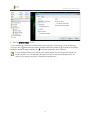
GFT uses the following notes to emphasise important information about using the VPS.
Describes information on the action of a tool or feature in the VPS. When you see this symbol, it provides a larger context
for information and procedures.
Provides hints, tricks and shortcuts that may help you use the VPS.
Alerts you of critical information that you need to know when you perform a particular procedure.
3