1
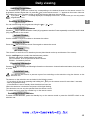
Installing your television for the first time
Installing your television for the first time
First plug the television into a mains power outlet and to the external aerial or a cable network, then switch on using
located on the front or the side of your set.
the ON/OFF switch
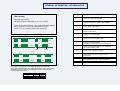
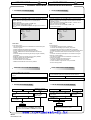
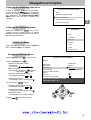
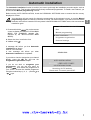
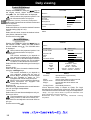
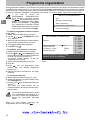
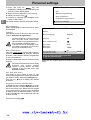
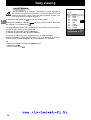
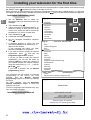
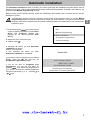
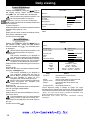
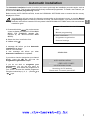
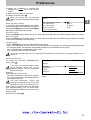
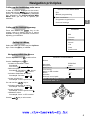
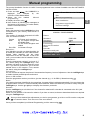
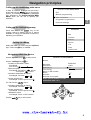
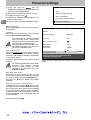
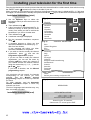
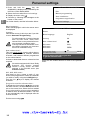
When you switch on your television for the first time, the language selection menu* is displayed (Fig. 1). If this does
key on the television until this menu appears.
not happen, set the television to standby then press and hold the
GB
Installation Instructions (start)
1. Use the Up/Down keys to select the
language in which you wish the menus to be
displayed.
.
2. Then validate using
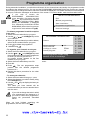
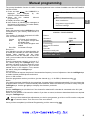
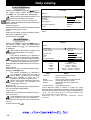
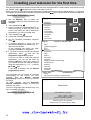
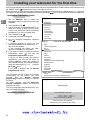
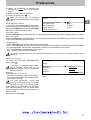
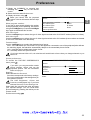
3. A list of countries* is now displayed (Fig. 2).
Select the country in which you live, or the
country from which you wish to receive the
broadcasts if you live in a border area.
.
4. Then validate using
5. A welcome message is displayed.
6. Run the automatic installation sequence
.
using
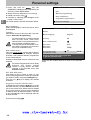
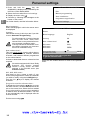
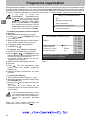
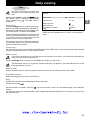
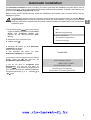
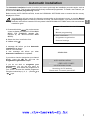
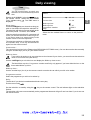
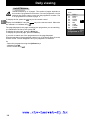
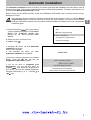
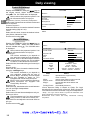
7. A message appears to inform you that
automatic installation has started (Fig. 3).
Wait for a few minutes.
A new message will inform you when
automatic installation is completed.
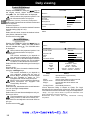
8. If you wish to check or modify the channel
and see the
organisation, press
Programme organisation chapter.
If you do not wish to modify the channel
organisation, you can exit the menu by
then watch the channel of
pressing
your choice. Choose the desired channel
using the number keys (1, 2, 3, ...) and the
/
keys.
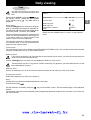
If you have a decoder, see the Manual
programming chapter.
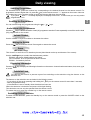
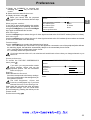
Your television will only search for channels
corresponding to the country you have
selected.
See
the
Manual channel
programming chapter to install any channels
not found.
For cable networks, read the Automatic
channel installation chapter to install any
channels not found.
(Fig. 1)
English
Français
Deutsch
Italiano
Español
Português
Nederlands
Svenska
Dansk
Norwisch
(Fig. 2)
OK
COUNTRY SELECTION
Exit
United Kingdom
Eire
France
Germany
Italy
Spain
Portugal
Holland
Belgium and Luxembourg
Switzerland
Austria
Sweden
Denmark
Norway
Other
Select your country and press OK
(Fig. 3)
SEARCHING
*The list of languages and countries may vary
from one model to another.
Installation Instructions (end)
AUTO INSTALLATION
003 STATIONS FOUND
Searching for TV stations.
Please wait. To cancel press EXIT.
www.rtv-horvat-dj.hr
6