1
PLANET PoE IP Phone User’s Manual
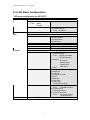
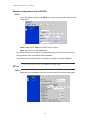
Network configurations:
•
•
•
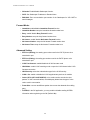
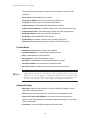
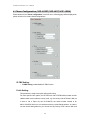
Dynamic IP: enable/disable DHCP Client function.
PPPoE: enable/disable PPPoE function.
1.
PPPoE Username: set PPPoE authentication User Name.
2.
PPPoE Password: set PPPoE authentication password.
Fixed IP
3.
IP Address: IP Address of VIP-103PT/VIP-153PT/VIP-153T/VIP-153M
4.
Subnet Mask: setup the subnet mask of VIP-103PT / VIP-153PT / VIP-153T
/ VIP-153M
5.
Default routing gateway: setup default gateway of
VIP-103PT/VIP-153PT/VIP-153T/VIP-153M
6.
DNS Server: setup domain name server IP address.
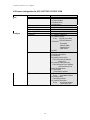
Others:
•
•
•
MAC Address: MAC address of the PoE IP Phone
SNTP Server Address: setup SNTP Server Address
GMT: setup time zone for SNTP Server time
•
LNote
•
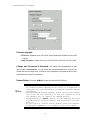
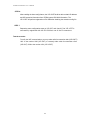
When SNTP server is available, enable
VIP-103PT/VIP-153PT/VIP-153T/VIP-153M SNTP function to point to
SNTP server IP address, so that
VIP-103PT/VIP-153PT/VIP-153T/VIP-153M can obtain proper time
information from the SNTP server.
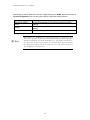
You may enable different time zone to meet the location of
VIP-103PT/VIP-153PT/VIP-153T/VIP-153M. For example, the time
zone in Taiwan should be set as 8, which mean GMT+8.
21