1
List of Figures
List of Figures
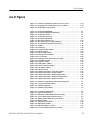
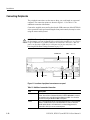
Figure 1-1: Locations of peripheral connectors on rear panel . . . . . . . . . . . . . .
Figure 1-2: Principal power switch and AC power connector . . . . . . . . . . . . . .
Figure 1-3: On/Standby switch location . . . . . . . . . . . . . . . . . . . . . . . . . . . . . . . .
1-12
1-13
1-13
Figure 2-1: Front panel (DTG5078) . . . . . . . . . . . . . . . . . . . . . . . . . . . . . . . . . . . .
Figure 2-2: Front panel (DTG5274, DTG5334) . . . . . . . . . . . . . . . . . . . . . . . . . . .
Figure 2-3: Front panel controls . . . . . . . . . . . . . . . . . . . . . . . . . . . . . . . . . . . . . . .
Figure 2-4: Front panel connectors . . . . . . . . . . . . . . . . . . . . . . . . . . . . . . . . . . . . .
Figure 2-5: Rear panel (DTG5078) . . . . . . . . . . . . . . . . . . . . . . . . . . . . . . . . . . . . .
Figure 2-6: Rear panel connectors (1) . . . . . . . . . . . . . . . . . . . . . . . . . . . . . . . . . .
Figure 2-7: Rear panel connectors (DTG5078) (2) . . . . . . . . . . . . . . . . . . . . . . .
Figure 2-8: Screen elements just after the power on . . . . . . . . . . . . . . . . . . . . . .
Figure 2-9: Toolbar . . . . . . . . . . . . . . . . . . . . . . . . . . . . . . . . . . . . . . . . . . . . . . . . .
Figure 2-10: Status bar . . . . . . . . . . . . . . . . . . . . . . . . . . . . . . . . . . . . . . . . . . . . . .
Figure 2-11: Channel Group window . . . . . . . . . . . . . . . . . . . . . . . . . . . . . . . . . .
Figure 2-12: Blocks window . . . . . . . . . . . . . . . . . . . . . . . . . . . . . . . . . . . . . . . . . .
Figure 2-13: Data-Listing window . . . . . . . . . . . . . . . . . . . . . . . . . . . . . . . . . . . . .
Figure 2-14: Data-Waveform window . . . . . . . . . . . . . . . . . . . . . . . . . . . . . . . . . .
Figure 2-15: Level window . . . . . . . . . . . . . . . . . . . . . . . . . . . . . . . . . . . . . . . . . . .
Figure 2-16: Timing window (Data Generator mode) . . . . . . . . . . . . . . . . . . . . .
Figure 2-17: Time Base window . . . . . . . . . . . . . . . . . . . . . . . . . . . . . . . . . . . . . .
Figure 2-18: Sequence window . . . . . . . . . . . . . . . . . . . . . . . . . . . . . . . . . . . . . . .
Figure 2-19: Subsequence window . . . . . . . . . . . . . . . . . . . . . . . . . . . . . . . . . . . .
Figure 2-20: Jitter Generation window . . . . . . . . . . . . . . . . . . . . . . . . . . . . . . . . .
Figure 2-21: DC Output window . . . . . . . . . . . . . . . . . . . . . . . . . . . . . . . . . . . . . .
Figure 2-22: Menu selection . . . . . . . . . . . . . . . . . . . . . . . . . . . . . . . . . . . . . . . . . .
Figure 2-23: Window operation 1: Time Base window . . . . . . . . . . . . . . . . . . . .
Figure 2-24: Window operation 2: Timing window . . . . . . . . . . . . . . . . . . . . . . .
Figure 2-25: Window operation 3: Data-Listing window . . . . . . . . . . . . . . . . . .
Figure 2-26: Window operation 4: Channel Group window . . . . . . . . . . . . . . .
Figure 2-27: Window operation 5: Sequence window . . . . . . . . . . . . . . . . . . . . .
2-1
2-2
2-3
2-6
2-9
2-10
2-11
2-14
2-19
2-20
2-21
2-22
2-24
2-26
2-28
2-30
2-32
2-34
2-36
2-38
2-39
2-41
2-42
2-44
2-46
2-48
2-49
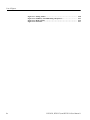
Figure 3-1: Channels, groups, blocks and channel assignment . . . . . . . . . . . . . .
Figure 3-2: Concept of data and window . . . . . . . . . . . . . . . . . . . . . . . . . . . . . . . .
Figure 3-3: Channel assignment . . . . . . . . . . . . . . . . . . . . . . . . . . . . . . . . . . . . . . .
Figure 3-4: Channel Group window . . . . . . . . . . . . . . . . . . . . . . . . . . . . . . . . . . . .
3-1
3-4
3-5
3-6
Figure 4-1: Confirming Offline mode . . . . . . . . . . . . . . . . . . . . . . . . . . . . . . . . . . .
Figure 4-2: Select the online mode . . . . . . . . . . . . . . . . . . . . . . . . . . . . . . . . . . . . . .
Figure 4-3: Time Base window (Pulse Generator mode) . . . . . . . . . . . . . . . . . . . .
Figure 4-4: Level window (Pulse Generator mode) . . . . . . . . . . . . . . . . . . . . . . . .
Figure 4-5: Timing window (Pulse Generator mode) . . . . . . . . . . . . . . . . . . . . . .
Figure 4-6: Blocks window . . . . . . . . . . . . . . . . . . . . . . . . . . . . . . . . . . . . . . . . . . .
Figure 4-7: Channel Group window . . . . . . . . . . . . . . . . . . . . . . . . . . . . . . . . . . .
Figure 4-8: Data-Listing window . . . . . . . . . . . . . . . . . . . . . . . . . . . . . . . . . . . . . .
Figure 4-9: Edit menu and View menu . . . . . . . . . . . . . . . . . . . . . . . . . . . . . . . . .
Figure 4-10: View by Channel and View by Group . . . . . . . . . . . . . . . . . . . . . . .
4-1
4-2
4-4
4-5
4-9
4-14
4-15
4-19
4-19
4-21
DTG5078, DTG5274, and DTG5334 User Manual 1
iii