1
Table of Contents
Section 1 Product overview .............................................................................................................. 3
1.1 PC requirements ......................................................................................................................... 3
1.2 Install FSDATA Desktop on a computer...................................................................................... 3
Section 2 User interface and navigation ........................................................................................5
2.1 Open FSDATA Desktop............................................................................................................... 5
2.2 Main menu................................................................................................................................... 5
2.3 Change the user preferences....................................................................................................... 6
Section 3 Set up an FL900 for deployment ................................................................................... 7
3.1 Attach the logger to the computer................................................................................................ 7
3.2 Connect the logger to FSDATA Desktop..................................................................................... 7
3.3 Make a basic logger program....................................................................................................... 8
3.3.1 Configure the logger for remote communication............................................................... 10
3.3.1.1 Modbus communication........................................................................................... 11
3.3.2 Set up the sensors—Setup Wizard................................................................................... 11
3.3.3 Set up the sensors manually............................................................................................. 12
3.3.3.1 Flo-Tote setup—manual........................................................................................... 12
3.3.3.2 Flo-Dar setup—manual............................................................................................ 14
3.3.3.3 US9000 adjust—manual.......................................................................................... 15
3.3.3.4 AV9000 setup—manual........................................................................................... 17
3.3.3.5 IM9001 module setup............................................................................................... 18
3.3.4 Verify the sensor calibration.............................................................................................. 19
3.3.5 Set up alarms.................................................................................................................... 19
3.3.6 Set up flow pacing for samplers........................................................................................ 21
3.3.7 Set up a program offline.................................................................................................... 21
Section 4 Get instrument data ....................................................................................................... 23
4.1 Download data from a logger..................................................................................................... 23
4.1.1 Export logger files to FSDATA server............................................................................... 23
4.2 Download data from a sampler.................................................................................................. 23
4.3 Import sampler data from a USB drive....................................................................................... 25
Section 5 View data .......................................................................................................................... 27
5.1 View instrument data.................................................................................................................. 27
5.2 View instrument logs.................................................................................................................. 28
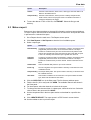
5.3 Make a report............................................................................................................................. 29
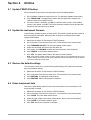
Section 6 Utilities .............................................................................................................................. 31
6.1
6.2
6.3
6.4
Update FSDATA Desktop.......................................................................................................... 31
Update the instrument firmware................................................................................................. 31
Restore the default settings....................................................................................................... 31
Erase instrument data................................................................................................................ 31
1