1
Maintaining the flow cell
The flow cell requires maintenance when
•
the reference spectrum changes.
•
the cell fluid leaks out of the drain tube.
•
the detector cannot initialize but the lamp is in good condition.
•
the detector causes high backpressure.
Tip: Conditions other than a dirty flow cell can cause decreased lamp
intensity. For more information, refer to Chapter 4.
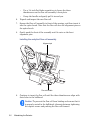
Flow cell maintenance consists of
•
flushing the flow cell.
•
removing the flow cell.
•
disassembling and cleaning the flow cell.
•
installing the flow cell assembly.
Flushing the flow cell
Required Materials
•
HPLC-grade water
•
HPLC-grade methanol
If the flow cell requires cleaning, first try flushing it with solvent.
To flush the flow cell:
1.
Select a solvent compatible with the samples and mobile phases that you
have been using. If you have been using buffers, flush with 10 mL of
HPLC-grade water, then flush with 10 mL of a low-surface-tension
solvent such as methanol.
Tip: Ensure that the solvent is miscible with the previous mobile phase.
2.
Test the lamp energy by performing the Read energy diagnostic test (see
page 4-3).
If the lamp diagnostic test fails and the lamp has not been used more
than 2000 hours or 1 year from date of purchase (whichever comes first),
call Waters Technical Service (see page 3-2).
3-4
Maintaining the Detector