1
TML87 Instruction Manual
TROUBLESHOOTING & REPAIR
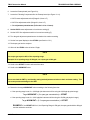
6. Dry the chamber surfaces with a 2nd lint-free cloth.
7. Re-assemble the chamber and re-install the sensor module.
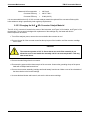
11.6.3.3 Cleaning the PMT Lens & PMT filter
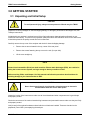
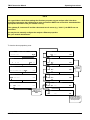
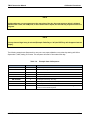
NOTE:
The sample chamber should only be opened or cleaned on instructions from the Teledyne Instruments
customer service department.
Be careful not to leave thumbprints on the interior of the sample chamber. The various oils that make up
fingerprints fluoresce brightly under UV light and will significantly affect the accuracy of the analyzer’s
SO2 measurement.
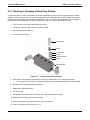
To clean the PMT Lens and filter:
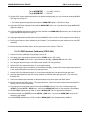
1. Remove the sensor module as described in Section 11.6.3.1
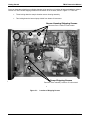
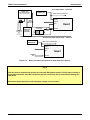
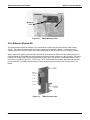
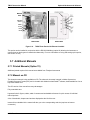
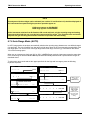
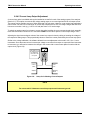
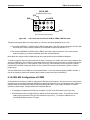
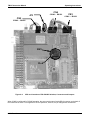
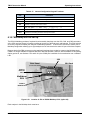
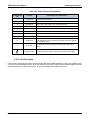
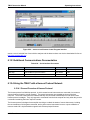
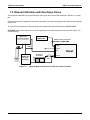
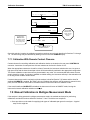
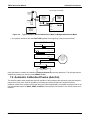
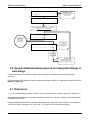
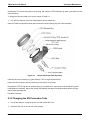
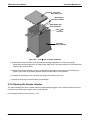
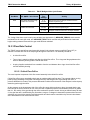
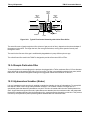
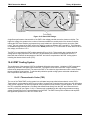
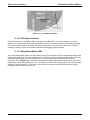
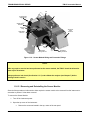
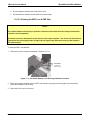
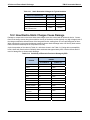
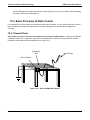
Hex Screws
Bottom two
hidden from view
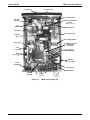
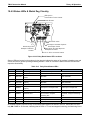
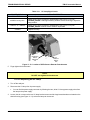
Figure 11-7: Hex Screw Between Lens Housing and Sample chamber
2. Remove the sample chamber from the PMT lens and filter housing by unscrewing the 4 hex screws that
fasten the chamber to the housing.
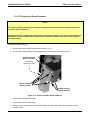
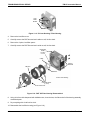
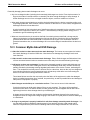
3. Remove the four lens cover screws.
05496 Rev A6
247