1
2-2
Operator Workstation User’s Manual
Key Concepts
System Peek
The System Peek option is unique to the Network Map. This option
allows you to view the objects within a selected system without having
to leave the Network Map to display a System summary.
Active Network
Use the Activate Network option to switch between networks. A
maximum of five networks can be active at one time, using any
variation of the following:
•
one to five N1 Direct networks
•
up to two NC Dial networks
•
up to four Direct Connect networks
The Network Map displays the most recently activated network. You
can have more than one active network at a time. Complete
functionality (for example, commanding, scheduling) is available in all
activated networks.
Note:
To deactivate an NC-Dial (modem or Integrated Services
Digital Network [ISDN]) remote network, use the Hang Up
option in the Dial-Up Window Control menu.
Window Options
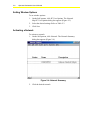
Specify the following options with the PC User Options dialog box:
•
window size
•
object penetration
•
close previous window when penetrating
•
display expanded ID
When changing these options, they are saved only for your password.
When using a different password, the Metasys program uses either the
default options or the last chosen options linked to that password. The
options are saved for that Operator Workstation only. If the same
options are desired on another OWS, you must set the options using
that OWS.