1
2-6
Operator Workstation User’s Manual
Setting Window Options
To set window options:
1.
On the SetUp menu, click PC User Options. The Network
Map PC User Options dialog box appears (Figure 2-3).
2.
Select the desired settings. Refer to Table 2-3.
3.
Click Save.
Activating a Network
To activate a network:
1.
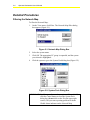
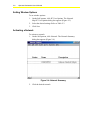
On the SetUp menu, click Network. The Network Summary
dialog box appears (Figure 2-4).
Figure 2-4: Network Summary
2.
Click the desired network.