1
ET 8 and 12
Keyboard Guide
October 20th, 2005
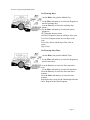
Keys:
More: Increase Value or select ON.
Less: Decease Value or select OFF.
Next: Next item to change.
Previous: Previous item to change.
Dial: Rotate the dial to select the item to view or
modify.
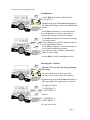
Secondary functions of the keys:
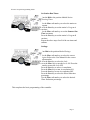
More (Test):
Pressing the More key, from the main screen, causes the
controller to enter the 2 minute test mode.
Press the More key to cycle through the following test
options.
2 Min Test Run each station for two minutes.
Auto Run All Run all programs (A, B, C, and D).
Auto Run Prog A Run program A.
Auto Run Prog B Run program B.
Auto Run Prog C Run program C.
Auto Run Prog D Run program D.
Press the Next key to start the selected test.
Press the Previous or Next keys to go to the previous or next
station.
To stop the test turn the Dial to Off and back to Run.
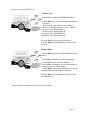
Less (Rain):
Pressing the Less key, from the main screen, causes the
controller to enter the Rain Delay screen.
Press the More key to increase the number of days to delay
watering. The delay can be set from 1 to 5 days.
Press the Less key to decrease the number of days. Zero, 0,
days turns the rain delay off and resumes normal watering.
Press the Next key to enter the changes and return to the
main screen.
For more information please refer to your User’s Guide.