1
ET 8 and 12
Quick Programming Guide
October 21, 2005
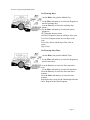
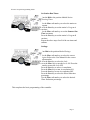
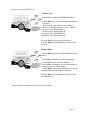
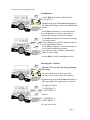
Keys:
More: Increase Value or select ON.
Less: Decrease Value or select OFF.
Next: Next item to change.
Previous: Previous item to change.
Dial: Rotate dial to select the item to view or
modify.
Time and Date:
Turn the Dial to the position labeled Time & Date.
Use the More or Less keys to select the correct
month.
Press the Next key to select the date.
Use the More or Less keys to select the correct date.
Press the Next key to select the year.
Press the More or Less keys to select the correct
year.
Press the Next key to select the hour.
Use the More or Less keys to select the correct hour.
Press the Next key to select the minutes.
Press the More or Less keys to select the correct
minutes.
Page 1