1
ET 8 and 12 Quick Programming Guide
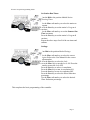
Set Station Run Times:
Turn the Dial to the position labeled Station
Watering Times:
Use the More or Less keys to select the station to
program.
Press the Next key to set the station’s Program A
run time.
Use the More or Less keys to set the Summer Run
Time in minutes.
Press the Next key to set the station’s Program B
run time.
Repeat the above steps for all of the run times and
stations.
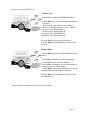
Settings:
Turn Dial to the position labeled Settings.
Use the More or Less keys to select the correct
Region. Refer to the User Manual for the correct
region number.
Press the Next key to select the Lock.
Press the More key to turn the Lock ON. Press the
Less key to turn the Lock OFF.
Press the Next key to select Accumulation.
Press the More key to turn Accumulation ON.
Press the Less key to turn Accumulation OFF.
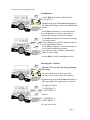
Press the Next key to select the Water Reduction
percentage.
Use the More or Less keys to select the desired
Water Reduction percentage.
This completes the basic programming of the controller.
Page 3