1
simply retain the “Original Order” option from the pull-down list. (Note: As long as the
questions in the exam file remain unchanged, a particular “Exam Variation” will have the same
question order each time it is printed or saved to MS Word format. However, if you add or insert
new questions, the Exam Variation will differ the next time you print/save an exam or answer
key.)
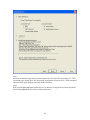
It is also possible to specify a range of questions to be included in the exam. If both fields are left
blank, all questions will be included.
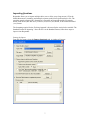
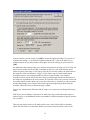
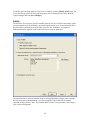
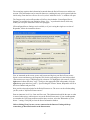
At the bottom of the screen there are three options: Text Preview, Save to File, and Send to
Printer. The Text Preview button allows you to preview the contents of the file in a pop-up
window. We recommend that you use this option before printing the exam or saving the contents
to a file--it is a quick way to identify mistakes. The Save to File option allows the creation of a
MS Word file (.doc), a “rich text file” (.rtf), or a standard text file (.txt). The MS Word and .rtf
formats will retain enhanced formatting such as bold, italics, and underlining, whereas the .txt
format will strip such information. Once a file is saved, it can be opened with a word processor
for further formatting and modification. Finally, the Send to Printer option permits you to print
directly from Respondus. This task works similar to the printing function in other Windows
programs.
51