1
Updating AK-SC255 firmware via Codeloader Version 4.0
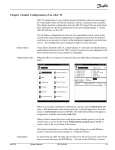
Codeloader software version 4.0 is a software PC tool that, once installed, allows the user to update the AK-SC255 firmware (not EDF,
Device list or HTML files - See following section for more details) . Danfoss periodically issues new firmware for the AK-SC255 to update &
Enhance functionality. Codeloader version 4.0 allows the loading of AK-SC255 firmware via either a serial or Ethernet* connections.
*Serial connection still required
Serial port on PC
Send (Software) via Ethernet network Fastest data transfer.
Send (Software) via Serial cable.
Network button - use to view & change IP
network address settings in the AK-SC255.
Browse button to select AK-SC255 software
CSI Conversion - CSI (Compressed
Software Image) is a highly compressed
files that increases the speed of
download to the AK-SC255.
Use this feature to convert 'cmot' files
to csi and thus improve download
performance (new csi file will be seen in
same directory as the original cmot)
Ethernet download method
The Ethernet method is the fastest way to download new firmware, taking just a few seconds. In order to repair for this method, both a
serial & Ethernet connection must be made to the AK-SC255. The AK-SC255 should have a valid IP address that is in the same net range
as the PC that will load the code. Once both PC & AK-SC255 have valid IP addresses, connect a serial cable (Danfoss # 080Z0262) to the
AK-SC255 and the connecting PC. The following steps highlight the procedure for using the Ethernet method;
•
Ensure AK-SC255 & PC has valid Ethernet & Serial connections
•
Remove jumper JP2 (next to the service reset button on the AK-SC255 PCB - New style AK-SC255 box units)
•
Re-Set AK-SC255 & World map should be displayed (Valid IP address should be shown on this screen)
•
Open Codeloader V4.0
•
Select the correct (Serial) com port used on the PC to connect to the AK-SC255
•
Browse for the software file (i.e. VE02_081.cmot).
•
Select the 'Send Net' button & Observe download progress
Once compete, replace jumper & re-set AK-SC255 - New firmware will now be displayed in the AK-SC255
Serial download method
The Serial method can be used on site, where no IP connectivity is available and only a serial connection can be made. Codeloader V4.0
allows a 'point to point' connection to the AK-SC255 & PC via the Danfoss cable (080Z0262).
The following steps highlight the procedure for using the serial connection method;
•
Ensure AK-SC255 & PC has a Serial connection
•
Remove jumper JP2 (next to the service reset button on the AK-SC255 PCB- New style AK-SC255 box units)
•
Re-Set AK-SC255 & World map should be displayed
•
Open Codeloader V4.0
•
Select the correct (Serial) com port used on the PC to connect to the AK-SC255
•
Browse for the software file (i.e. VE02_081.cmot).
•
Select the 'Send RS232' button & Observe download progress
Once compete, replace jumper & re-set AK-SC255 - New firmware will now be displayed in the AK-SC255
74