1
Oracle recommends that you start the managers from the applmgr
login to ensure that they inherit the correct directory privileges.
For UNIX, any user who runs an environment file and has access to the
startmgr script can start the concurrent managers.
Warning: Always start the concurrent managers from the
applmgr login if you are using parallel concurrent processing
on multiple nodes.
For UNIX
Setting the startmgr User ID with setuid in UNIX
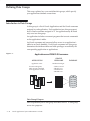
To ensure that startmgr inherits the applmgr directory privileges, you
can use the UNIX setuid facility to set startmgr to the applmgr login’s
UNIX user ID. The concurrent managers then inherit the applmgr
privileges no matter which login runs startmgr. This allows you to
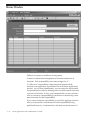
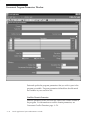
start or restart concurrent managers using the Administer Concurrent
Managers form, regardless of the originating UNIX login. Note that
you must reset the user ID with setuid if you modify or copy startmgr.
Refer to your online UNIX documentation for information on setuid.
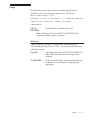
Note: The use of the setuid command may cause unexpected
behavior on certain platforms that employ dynamic linking of
libraries. Please refer to the Oracle Applications Installation
Update for your platform for any information regarding this
problem.
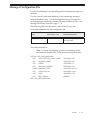
Directory Privileges for Logins other than applmgr
If you do not set the startmgr script to the applmgr user ID and you
start the managers from a login other than applmgr, that login needs to
have these privileges:
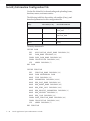
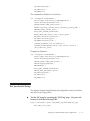
• Read and execute privileges on all Oracle Applications
directories
• Write privilege for all directories defined by the following
variables:
– APPLLOG (typically log directory or directories)
– APPLOUT (typically out directory or directories)
– APPLCSF (common directory for log and output files)
– APPLTMP (temporary directory)
– REPORTS60_TMP (temporary directory for Oracle Reports
files)
Setting Up and Maintaining Oracle Applications
G – 75