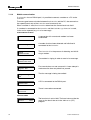
1
Honeywell
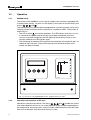
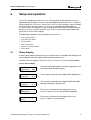
Setup and operation Time Clock
b
a
Time clock
Su
00:00-00:00
00:00-00:00
....
Mo
08:00-17:00
00:00-00:00
Mo
07:00-17:00
00:00-00:00
....
Tu
08:00-17:00
00:00-00:00
Mo
07:00-09:00
00:00-00:00
c
d
e
f
....
....
Mo
07:00-09:00
17:00-00:00
g
....
....
Mo
07:00-09:00
17:00-23:15
Mo
07:00-09:00
17:00-23:15
h
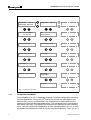
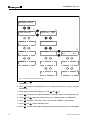
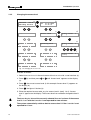
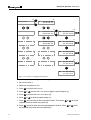
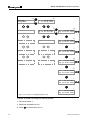
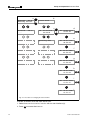
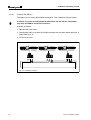
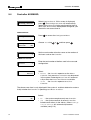
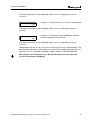
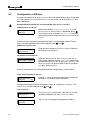
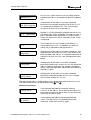
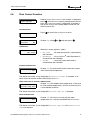
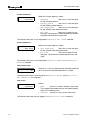
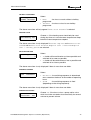
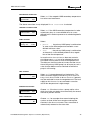
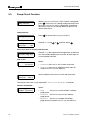
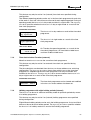
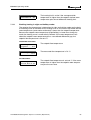
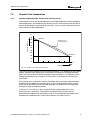
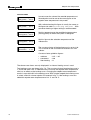
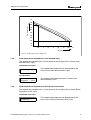
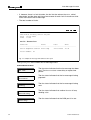
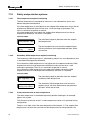
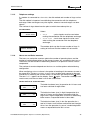
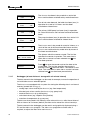
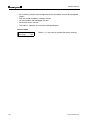
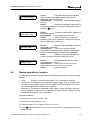
Fig. 2.1 Procedure for changing switching times
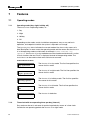
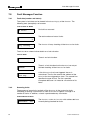
Proceed as follows to change the switching times:
1. Set access level 2.
2. Select the required Function.
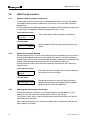
3. Press
to access the Function.
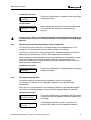
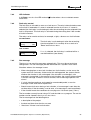
4. Press
or
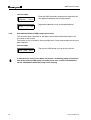
5. Press
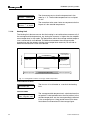
to access the Time Clock Menu (b).
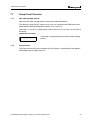
6. Press
or
until the Time Clock Menu appears on the display (a).
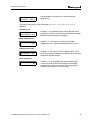
to select the desired day (c).
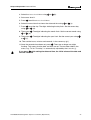
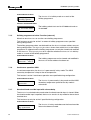
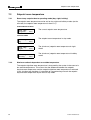
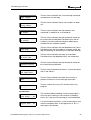
7. Press , the start time of the first period flashes. Then press
required start time of the first period (d).
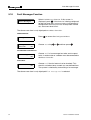
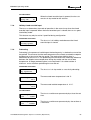
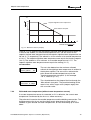
8. Press , the finish time of the first period begins to flash. Press
the required finish time of the first period (e).
17
or
to set the
or
to set
Part I: User manual