1
ControlScape ♦ RadioLinx
RadioLinx® ControlScape FH
8.1
Dialog Boxes
User Manual
Network Properties Dialog Box
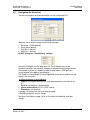
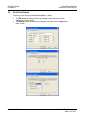
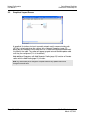
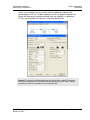
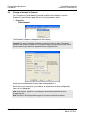
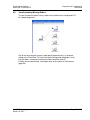
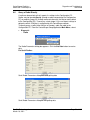
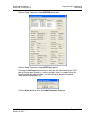
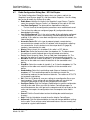
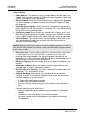
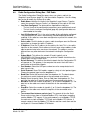
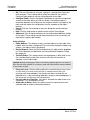
The Network Properties dialog box opens when you create a new network (page
75) or view the properties for an existing network (page 46). The items available
on this dialog box vary depending on the type of radio you select.
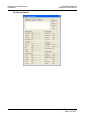
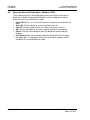
Network Name: Use up to 20 alphanumeric characters. The RadioLinx
ControlScape FH Setup Application will use this assigned name in all
subsequent references to this network. The network name cannot easily be
changed. The recommended procedure is to choose a name at the time of
network definition which will be recognized by those responsible for future
network maintenance.
Radio Type: Select the radio type from the dropdown list. Note that all radios
on a network must be the same type.
(RLX-FHS radios only): Serial Protocol: Some RLX models support a variety
of serial protocol types. Choose the protocol type from the dropdown list.
(RLX-IFH radios) Network Type: Some RLX models support a variety of
network types. Choose the network type from the dropdown list.
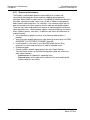
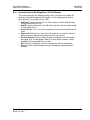
Network Channel: From the drop-down list, select a channel for the network.
Network channel selection is used to allow the operation of up to 32 different
networks in the same location. There may be a total of up to 2047 radios per
network (including the master radio and its remote radios). The following
network channel requirements must be met for full network functionality:
o The Master Radio and Remote Radios of each network must be assigned
to the same network channel.
o Networks in close proximity must be assigned to different channels.
Wireless Link Rate (RLX-IFH radios): For most applications, you do not
need to change this setting. Wireless Link Rate sets the rate at which data is
transmitted over the wireless link. Changing this value will tradeoff throughput
for receive sensitivity.
Hop interval (RLX-IFH radios): For most applications, you do not need to
change this setting. Hop Interval sets the length of time that the radios stay
on a channel before hopping to the next channel. Changing this value to an
incorrect setting can render the network inoperable. For certain traffic
patterns, this value can be tailored so as to provide a small improvement to
throughput or latency.
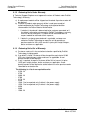
Encryption Key (RLX-FH radios)
o 5 to 7 characters = 40 bit encryption
o 15 to 24 characters = 128 bit encryption
Encryption Level: Choose the encryption type (128-bit AES or Disabled)
from the dropdown list.
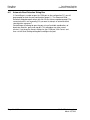
Passphrase (RLX-IFH radios): The passphrase is used to encrypt all radio
traffic. All radios in a network must be programmed with the same
passphrase, or they will not be able to communicate. ControlScape populates
this field with a randomly generated sequence of characters. If you prefer,
you can enter your own passphrase here.
ProSoft Technology, Inc.
March 16, 2011
Page 75 of 132