1
Quick Start Guide
ALWAYS POWER-DOWN The WINNER UNIT BEFORE INSERTING SIM
CARDS
General
1.
2.
3.
4.
5.
6.
Check package contents.
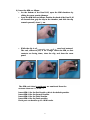
Insert Sim cards.
Connect the antenna/s.
Connect the unit to analog telephone s – one for each port.
Connect the power supply and wait 30 secs.
LCD displays: [State:Voice …….Antenna reception bargraph].
For each Port
7. Check antenna reception. If reception is poor, disconnect the
power
and change the antenna location. Repower the system and wait
30 secs.
8. Place an outgoing call – dialled number is displayed.
9. Place an incoming call to the unit – incoming number is
displayed.
10. Disconnect the analog telephone and reconnect the u nit to your
PBX line.
Programming the Winner Gateway unit
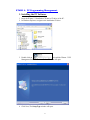
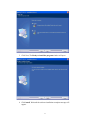
1. Install the CD launch program on the computer.
2. Connect the RJ-45 Plug of the com cable to one of the ports
(Master or Slave). Connect the D -type connector to an available
COM outlet on the PC.
3. The display will show "Init. COM port".
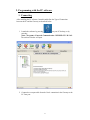
4. Start the "Winner v5.2" from the icon on your desktop.
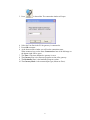
5. Press the "Connect" icon at the top left-hand corner of the
window.
6. Choose the correct PC comport from the drop down list.
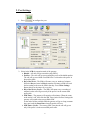
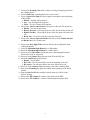
7. Click the "System" icon and set the Rea l Time Clock in the unit.
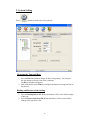
8. Click the "Port Setting" icon to change the general port
parameters and click the "Write Settings" button to update the
unit before moving on.
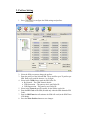
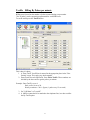
9. Click the "Prefix Settings" icon and write the prefixes and tariffs
for each Sim.
10. Press the "Disconnect" icon.
11. Connect the RJ-45 plug of the programming cable to the other
port (if needed) and retrace steps 2 to 10.
12. Click the "Exit" icon to close the Launch window.
15. Disconnect the programming cable.
6