1
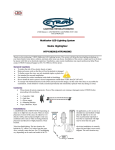
Turn the unit on if it did not turn on automatically. The lights may be
blinking, depending on the last factory setting. Adjust light angle by
twisting the light bars in the clips. This will adjust light dispersion.
INDICATOR LIGHT
STOP COLOR SCAN OR
COLOR FADE
ON/OFF
SOUND
SENSITIVITY
CYCLES ALL
FUNCTIONS
The chart below shows the 14 functions of the MODE button. Pressing
buttons are indicated by a fast blink of the red Indicator Light.
PAUSE button will stop the lights in any of the color scan or fade
modes.
System ON when power is supplied With the system still plugged-in to
an outlet, turn the unit off using the POWER button. Press and hold the
MODE button for 3 seconds. Turn the controller on. The unit will turn
3