1
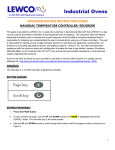
Industrial Ovens An ISO 9001:2008 Registered Company GENERAL INSTRUCTION GUIDE NANODAC TEMPERATURE CONTROLLER/ RECORDER Once completed remove the USB flash drive. TO CHANGE ENGINEERING UNITS (°F TO °C): Press A the PAGE button menu window will open use the UP and DOWN arrows until Log In is highlighted and hit the SCROLL button. This will take you to the blue Access screen. The field highlighted in yellow next to Access will display the current access level. Use the UP and DOWN arrow to select Engineer. Press the SCROLL button. A password field will appear below Engineer. Press the SCROLL button, a keyboard appears with a password field press the DOWN arrow until Numeric is highlighted in yellow. Press Use the SCROLL button, a numeric keypad will open. the UP and DOWN arrows to navigate the keyboard, once on the desired value press the SCROLL button to select and fill in the password field with 100. Press the PAGE button. A popup will appear asking to “Accept?” Use the UP and DOWN arrows to navigate to Yes and press the SCROLL button. The access level is now set to engineer, and a blue screen with Select configuration menu written at the top will appear. Press the DOWN arrow until Channel is highlighted in yellow. Press the SCROLL button and a list of numbers (1-4) appears to the right with the number 1 highlighted. Press the SCROLL button to select channel 1. Press the SCROLL button and a list of options appears to the right with Main highlighted. Press the SCROLL button to select Main. A blue screen with Channel.1.Main across the top appears. Press the DOWN arrow until the field beside Range Units (not “Units” field) showing the current units is highlighted. Press the SCROLL button to select this field. Once selected a set of arrows will be shown in the right side. 4