1
Call 1-866-282-1029, 1-888-228-8440 (toll free)
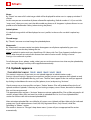
Administrator can add any language he/she wants. He/she should make the following steps:
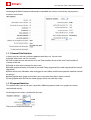
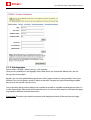
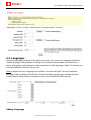
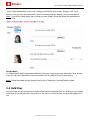
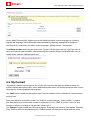
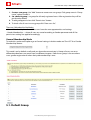
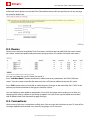
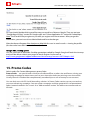
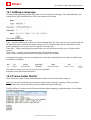
1. At the bottom of the page you will see a line where you can add Language name, Encoding and
Charset.
2. After you add your language, English language file will be copied and all you will need to do is to
translate it right at Admin area, to your required language. It is done in Site Settings
Management>Languages> your added language> Edit selected langfile and Edit Alerts Language file
and at Reference Lists> your added language.
3. You should also translate some images kept at your ftp server in
\templates\pilot_3_theme\images\your added language. It is possible to make changes to the
language choosing language and clicking “Edit selected langfile”. Make changes only to the words
within commas: “”.
Attention: Changes in language files don’t affect graphics containing texts.
Note 1: If you don’t check any language in “Visible Languages”, your site guests or members will have
access to Default language only. To maintain Multilanguage interface system uses language files
which you can set yourself by choosing necessary language and pressing “Edit selected langfile”. Make
changes in the pop-up window and press “Save changes”. Press “Close window” if you don’t want to
save changes.
Note 2: When adding a language that requires special encoding, be sure to specify it in “charset” field.
For Spanish language windows charset is better. Some languages like Arabic need special work to
make text display backwards.
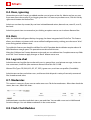
Site language identification by IP address
Fast choice of a site language version by IP, user OS settings. System does it automatically and adds a
country flag to a language name on the index page. Users can change language any time if it’s wrong.
In Languages section you can manage a list of countries that run this or that language for users
automatically.
For example: if you come to a site from UK, the system checks by IP and other settings and runs English
language file for you when you open the site.
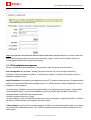
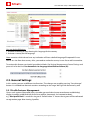
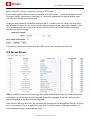
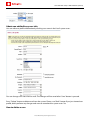
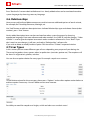
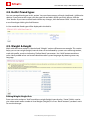
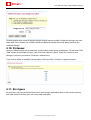
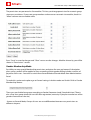
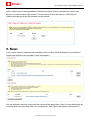
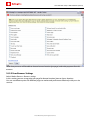
To manage Countries press “Edit Countries” button for necessary language and you’ll have a pop up
window with a list all countries installed on a site. Countries referred to the language you have chosen
are lighted Red:
© 2009 Pilot Group Ltd. All rights reserved.