1
Network Direct Attached Storage / NDAS®
User Manual
4.2 Sharing Your NDAS device
-
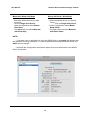
Once NDAS device is connected to your network, it can be accessed from any
computer on your LAN.
-
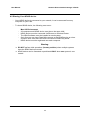
To share NDAS device, the following must occur:
Mac OS Environment:
-
All computers and NDAS device must be on the same LAN.
NDAS device must be connected via Ethernet or Wireless Router.
The NDAS software must be installed on each system.
Only One user can have Read/Write access to the NDAS device at a time.
All other users must have the device mounted in Read Only Mode.
NDAS device must be registered onto each computer.
Warning:
DO NOT perform disk operations (format, partition) when multiple systems
have the NDAS device mounted.
NDAS device can be formatted or partitioned ONLY when one system is connected.
11