1
Index
CHAPTER 1 What is Genie?
Introduction
Feature and Capabilities
Overview of Genie Contacts
CHAPTER 2 Installation of Genie unit
2.1 Preliminary Advice on Installation
2.2 Electrical connections
CHAPTER 3 G-SOFT
3.1 Introduction
3.2 Installing G-SOFT 4.0 on PC
3.3 Features of G-SOFT
3.4 Special Functions
3.4.1 Timers
3.4.2 Counters
3.4.3 Time switch (Clock)
3.4.4 Analog Functions
3.4.5 Compare Counter Block
3.4.6 Soft Message Block
3.4.7 Device simulator
CHAPTER 4 G-SOFT in Full screen Mode
4.1 Overview
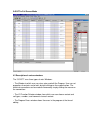
4.2 Description of various windows
4.3 Entering Programs
4.4 Error Messages
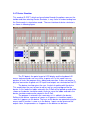
4.5 Program Simulation on PC
4.6 Simulation with Genie unit
4.7 Parameters of special Functions
CHAPTER 5 G-SOFT in Genie mode
5.1 Overview
5.2 Entering Programs
5.3 Run Function
5.4 Parameters of special Functions
5.5 Password
CHAPTER 6 Other features of G-SOFT
6.1 Transfer Data between PC and Genie unit
6.2 Select Genie Configuration
6.3 Printing the Programs
CHAPTER 7 Working with Genie
7.1 Introduction
7.2 RUN Mode
7.3 Transferring data to and from Memory card
7.4 Set Clock