1
User Manual
Contents
Getting Started ...........................................................................................1
1.1
EC Directives ........................................................................1
1.2
Warnings and Cautions ........................................................1
1.3
Specifications, Layout and Display .......................................2
1.4
Installation Instructions .........................................................4
1.4.1
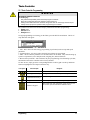
Theta Controller E-Stop Precaution...............................6
Programming..............................................................................................7
2.1
QA Theta Controller Navigation and Programming...............7
2.2
Display ..................................................................................7
2.2.1
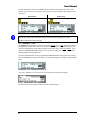
Scroll Bar .......................................................................7
2.2.2
Dropdown ......................................................................8
2.2.3
Menu Tree .....................................................................8
2.2.4
Tabs ..............................................................................8
2.2.5
Character Scrollbar........................................................8
2.2.6
Run Display ...................................................................8
2.3
Faults....................................................................................9
2.4
Messages ...........................................................................10
2.5
Theta Controller Programming............................................11
2.5.1
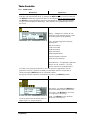
Setup Menu: 1. Jobs....................................................12
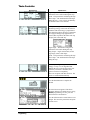
2.5.1.1 Wizard Screens .......................................................13
2.5.1.2 Setup: Job Tab ........................................................16
2.5.1.3 Setup: Manage Button (Job) ....................................17
2.5.1.4 Setup: Step Button...................................................18
2.5.1.5 Setup: Manage Button (Step) ..................................20
2.5.1.6 Setup: Exit ...............................................................21
2.5.2
Setup Menu: 2. Communications.................................21
2.5.3
Setup Menu: 3. Other ..................................................22
2.5.4
Setup Menu: 4. Restore Factory Defaults....................27
2.5.5
Service.........................................................................28
2.5.5.1 Tool..........................................................................28
2.5.5.2 Controller .................................................................29
2.5.6
Analyze........................................................................30
QPM DC Electric Tools ............................................................................33
3.1
Tool Specifications..............................................................33
3.2
Operator Protection ............................................................34
Repetitive Motion .......................................................................34
3.2.1
Hearing Protection .......................................................34
3.2.2
Vibration ......................................................................35
3.2.3
Breathing Protection ....................................................35
3.3
Tool Installation...................................................................35
3.3.1
Sockets and Adapters..................................................35
3.3.2
Suspension Devices ....................................................36
3.3.3
Cable Installation .........................................................36
3.4
QPM Tools..........................................................................37
ii