1
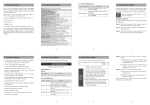
5. Logon to the Console (PoE Switch / FGSW-2624SF)
Once the terminal has connected to the device, power on
the FGSW-2620PVM, the terminal will display that it is
running testing procedures.
Then, the following message asks the login user name and
password. The factory default password as following and the
login screen in Figure 5-1 appears.
User name: admin
Password: admin
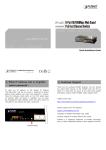
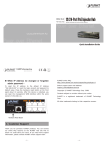
6. While IP Address be changed or
FGSW-2620PVM Managed Switch
forgotten admin password –
PC / Workstation
with
Terminal emulation software
To reset the IP address to the default IP Address
“192.168.0.100” and the user name / password to factory
Serial
Port
default mode (defaultRS-232
user name and
password
are both
57600,8,n,1
admin). Press the hardware reset button at the front
panel about 10 seconds. After the device is rebooted, you
Serial
Port
can
login
the management Web interface within the same
subnet of 192.168.0.xx and default user name / password.
Be noted, all the previous setup will disappeared after
factory reset.
-9-
▲
Hardware Reset
- 11 -
7. Customer Support
Thank you for purchase PLANET products. You can browse
our online FAQ resource at the PLANET Web site first to
check if it could solve you issue. If you need more support
information, please contact PLANET switch support team.
PLANET online FAQ :
http://www.planet.com.tw/en/support/faq.php?type=1
Switch support team mail address :
[email protected]
Copyright © PLANET Technology Corp. 2010.
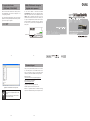
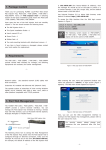
Figure 5-1 FGSW-2620PVM Console Login Screen
Note
1. For security reason, please change and
memorize the new password after this first
setup.
2. Only accept command in lowercase letter
under console interface.
- 10 -
Contents subject to revision without prior notice.
PLANET is a registered trademark of PLANET Technology
Corp. All other trademarks belong to their respective owners.
- 12 -
- 13 -
- 14 -