1
1 flash
frost
press and hold the
MODE button
pause
pause
MODE
button
quick heat
warm
3 flashes
2 flashes
pause
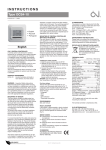
To cycle between the modes, press the black MODE button and hold it
down. Within 2 seconds the red LED lamp will flash a number of times to
indicate the mode it is in. One flash indicates FROST mode and releasing
the button after a single flash sets the controller into FROST mode.
Similarly, releasing the button after a double flash sets the controller into
WARM (occupied) mode and releasing after a triple flash sets the controller
into QUICK HEAT heat mode. QUICK HEAT lasts for 30 minutes.
Once the mode is set, the red LED lamp will flash as follows:
off FROST mode
occasional flash FROST mode + calling for heat
1 flash WARM mode
2 flashes WARM mode + calling for heat
3 flashes QUICK HEAT mode (30 mins)
Essentially the more flashes and the more often the flashes, the more the
room will be heated.
In a dark room these flashes will not happen.
http://opentrv.org.uk
quick start guide V0.1 board rev2_PMS