1
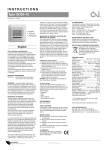
LEARN BUTTON
The LEARN button teaches OpenTRV to get the room ready for you in
advance.
There are two ways to use the red LEARN button, depending on the current
mode. When pressing the LEARN button, press it and hold it in until the LED
lights up solid.
• in FROST mode, holding down the LEARN button will clear the
schedule
• in WARM or QUICK HEAT mode, holding down the LEARN button
will indicate that a few minutes ago is the start of the learned ON
period. Every 24 hours from now until you tell it otherwise,
OpenTRV will warm up this room for 60 minutes (120 in 'comfort').
There is only ever one ON period set in 24 hours, so this one will
take the place of any previously set period.
OCCUPANCY SENSING
OpenTRV senses the light level in the room and uses that to establish if it is
occupied. If it is dark and OpenTRV is in FROST or QUICK HEAT mode, the
sensor is ignored and the appropriate action for the mode is taken. If it is
dark and the OpenTRV is in WARM mode, the target temperature will be set
back a small amount to save money and carbon emissions.
If it is dark the red LED will no longer flash to indicate the mode. There will
be a barely noticeable flicker once per minute (indicating a radio
communication).
SETUP, ADJUSTMENTS AND TROUBLESHOOTING
Please refer to the user manual at http://goo.gl/j1f7nP
SITING AND USE
To optimise the OpenTRV system
• Place the OpenTRV controller away from windows, draughts, direct
sunlight and sources of heat
• Keep your room doors normally shut
CONTACT US
The OpenTRV team is always happy to talk. Our email address is
[email protected] and we're on twitter @OpenTRV
http://opentrv.org.uk
quick start guide V0.1 board rev2_PMS