1
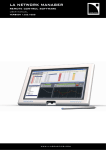
LA NETWORK MANAGER REMOTE CONTROL SOFTWARE
User Manual
VERSION 1.1.0.45
1
CONTENTS
1
CONTENTS
2
2.1
2.2
2.3
INTRODUCTION
5
Welcome to L-ACOUSTICS.......................................................................................................................................... 5
Sources for LA NETWORK MANAGER software ........................................................................................................... 5
How to read this manual............................................................................................................................................... 5
3
SYSTEM CONCEPT
6
4
LA NETWORK MANAGER SOFTWARE
7
5
5.1
INSTALLATION
8
Installing the LA NETWORK MANAGER software.......................................................................................................... 8
5.1.1
Computer system requirements .................................................................................................................... 8
5.1.2
Installing the software ................................................................................................................................... 8
5.1.3
Uninstalling the software............................................................................................................................... 8
5.1.4
Software updates.......................................................................................................................................... 8
Network considerations ............................................................................................................................................... 9
5.2.1
The L-NET Network.................................................................................................................................... 9
5.2.2
Physical connections ..................................................................................................................................... 9
5.2.3
L-NET Network topologies........................................................................................................................... 9
Managing IP Addresses ............................................................................................................................................... 11
5.3.1
Introduction............................................................................................................................................... 11
5.3.2
PC IP Address setup ................................................................................................................................... 11
5.3.3
Unit IP Addresses setup .............................................................................................................................. 13
5.2
5.3
6
6.1
6.2
6.3
6.4
6.5
6.6
4
OPERATION
14
Quick start ................................................................................................................................................................ 14
6.1.1
Virtual and Physical Systems ........................................................................................................................ 14
6.1.2
Offline and Online Modes............................................................................................................................ 14
6.1.3
Launching the software ............................................................................................................................... 15
6.1.4
Software user interface ............................................................................................................................... 16
‘‘Units Over Network’’ window.................................................................................................................................. 18
6.2.1
Overview................................................................................................................................................... 18
6.2.2
‘‘Right Clicking’’ menu................................................................................................................................. 19
6.2.3
‘‘PRESET’’ and ‘‘CONFIG’’ menus................................................................................................................ 22
‘‘System/Groups’’ window .......................................................................................................................................... 23
Control window......................................................................................................................................................... 25
6.4.1
Monitoring the system ................................................................................................................................ 26
6.4.2
Offline and Online System management ....................................................................................................... 27
‘‘Contour EQ’’ windows ............................................................................................................................................. 28
Command toolbar...................................................................................................................................................... 30
6.6.1
Overview................................................................................................................................................... 30
6.6.2
‘‘File’’ menu ............................................................................................................................................... 30
6.6.3
‘‘Network’’ menu ....................................................................................................................................... 31
6.6.4
‘‘View’’ menu ............................................................................................................................................. 32
6.6.5
‘‘Options’’ menu......................................................................................................................................... 33
6.6.6
‘‘?’’ menu ................................................................................................................................................... 36
7
7.1
7.2
7.3
CARE AND MAINTENANCE
37
Firmware update........................................................................................................................................................ 37
Preset Library update ................................................................................................................................................. 37
Troubleshooting......................................................................................................................................................... 38
7.3.1
No Units or not all Units could be found on the Network.............................................................................. 38
7.3.2
Conflict list................................................................................................................................................. 39
8
SPECIFICATIONS
40
9
GLOSSARY
41
NETMAN_UM_E N_1.1.0.45
ww w .l -ac ous ti cs . co m
4/42