1
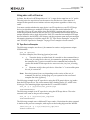
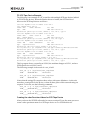
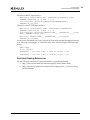
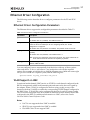
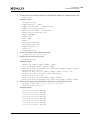
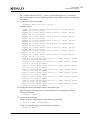
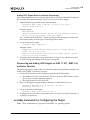
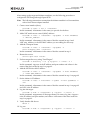
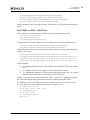
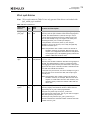
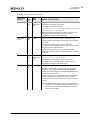
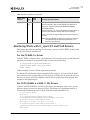
2. Installing and Uninstalling RoCE Driver for the OCe14000-Series Adapters Uninstalling the Ethernet Driver Kit Note: You must run the uninstall script that shipped with the version of the driver kit you want to remove. To uninstall the Ethernet driver: 1. Log in as “root”. 2. If possible, exit all applications that use Ethernet-attached drives, then unmount the drives. If you cannot exit all applications that use Ethernet-attached drives, the uninstall works properly, but you must reboot after the uninstallation is complete. 3. Run the elx_net_install.sh script with the “--uninstall” option: ./elx_net_install.sh --uninstall RoCE Driver for the OCe14000-Series Adapters RoCE is a network protocol that allows remote direct memory access over an Ethernet network. RoCE is a link layer protocol that allows communication between any two hosts in the same Ethernet broadcast domain. Network-intensive applications like networked storage or cluster computing require a network infrastructure with high bandwidth and low latency. The advantages of RDMA over other network application programming interfaces are lower latency, lower CPU load, and higher bandwidth. The following operating systems are supported for RoCE: SLES 11 SP2 - Ofed-3.5 SLES 11 SP3 - Ofed-3.12-1 RHEL 6.4 -- Ofed-3.12-1 RHEL 6.5 -- Ofed-3.12-1 RHEL 6.6 -- Native stack (inbox and OOB) RHEL 7.0 - native stack (OOB only) Installing the RoCE Driver Supported RoCE drivers can be downloaded from the Emulex website. 1. Use the following package to install the driver: elx-ocrdma-dd-<release>-<version>.tar.gz 2. Copy the package to /tmp and run tar xvzf elx-ocrdma-dd-<release>-<version>.tar.gz 3. Change directory to the RoCE packages directory: cd /tmp/X.X.X.X/Linux/RoCE 4. Select the required package based on the host on which the driver is being installed. The current Linux distribution on the host may be determined by typing lsb_release-i Emulex Drivers Version 10.4 for Linux User Manual P011043-01A Rev. A 17