1
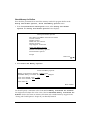
Preface BARR/TAPE allows you to send and receive files from a tape drive attached to a computer. You can use IBM- or ANSI-compatible magnetic tape cartridges (3490 or 3490E) or half-inch magnetic tapes (6250). BARR/TAPE provides tape support enhancements for these Barr RJE communications packages: BARR/RJE, BARR/3270, BARR/HASP, and BARR/3780. This manual explains how to install and operate the BARR/TAPE software included in the BARR/TAPE package. Your Barr RJE manuals document other Barr software installation and operation instructions. The following manuals provide adapter and tape drive installation information. The SCSI Adapter Installation booklet documents how to install and configure the SCSI adapter and connect the SCSI cable. The Model T480/T490 Tape Drive User Manual describes how to operate the TAPE3490 tape drive. The TapeXpress T490E Installation and User Manual describes how to operate the TAPE3490E tape drive. The TapePro 5000 Series SCSI Tape Drive’s User Manual tells you how to operate the TAPE6250 tape drive. Barr Technical Support Contact Technical Support at 800-BARR-SYS Monday through Friday between 9 a.m. and 8 p.m. eastern time if you have questions or problems with Barr software or hardware. You can contact Technical Support by fax, e-mail, or the Web site support page. Technical Support will ask for your adapter serial number and software version number. Please include these numbers in your correspondence. You can obtain the software version number from the following places: Second screen of the Installation Description Console portion of the Operation screen at software startup Top of the Quit menu during software operation The SCSI Adapter Installation booklet tells you where to locate the adapter serial number. You might be asked to provide some or all of these diagnostics: Line trace Memory dump BARR/TAPE iii