1
1.6 Computer Connections
The BARR/TAPE product provides computer-to-mainframe and computer-to-tape drive
connections.
Computer to Mainframe
You connect the computer running the Barr software to the mainframe with a 37XX or 3174
controller. To make this connection, you must install a Barr synchronous communications
adapter or a LAN adapter in the computer. There are no special mainframe hardware
requirements. Barr software supports these mainframe host systems: MVS/JES2, MVS/JES3,
VSE/POWER, VM/RSCS, VS1/RES, and CDC NOS (HASP).
Computer to Tape Drive
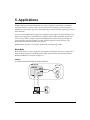
BARR/TAPE, in conjunction with Barr RJE software, sends your data through its highdensity, D-type connector to the SCSI cable connecting the computer to one or more tape
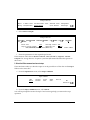
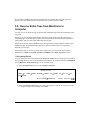
drives. Figures 1-1 and 1-2 illustrate these connections.
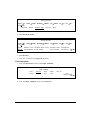
FIGURE 1-1
Computer connection to one tape drive
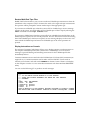
FIGURE 1-2
Computer connection to multiple tape drives
When you connect the computer to more than one tape drive, you must daisy chain the tape
drives.
8
1. Introduction