1
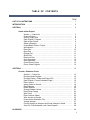
TABLE OF CONTENTS
PAGE
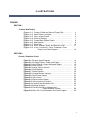
LIST OF ILLUSTRATIONS …………….…………………………………………………
1
INTRODUCTION ……………………….…………………………………………………
2
SECTION 1 …………………………………………………………………………………
3
Create a New Project
Section 1 – Check List …………………………………………………
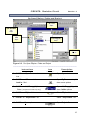
Create a Folder……………………………………………………………
Save to Floppy Disk ……………………………………………………
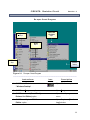
Open PSpice™ Program …………………………………………………
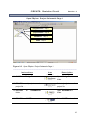
Open a New Project ……………………………………………………
Select a Directory…………………………………………………………
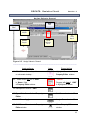
Create Blank PSpice™ Project …………………………………………
Add Libraries………………………………………………………………
Place Part …………………………………………………………………
Move Part ………………………………………………………………..
Enlarge Part ……………………………………………………………..
Shrink Part ……………………………………………………………….
Remove a Part …………………………………………………………..
Undo Command …………………………………………………………
Save Schematic …………………………………………………………
Close PSpice Project ……………………………………………………
Close Orcad Program …………………………………………………
3
4
4
5
6
7
8
9
10
11
11
11
11
12
12
12
12
SECTION 2 …………………………………………………………………………………
13
Circuits: Resistive Circuit
Section 2 – Check List …………………………………………………
Re-open Orcad Program ……………………………………………….
Re-open PSpice™ Folder and Project File …………………………..
Open PSpice™ Project Schematic Page 1 …………………………..
Place Ground …………………………………………………………….
Assign Value to Ground …………………………………………………
Place Resistor ……………………………………………………………
Rotate Resistor …………………………………………………………
Change Resistor Values…………………………………………………
Place Power Supply ……………………………………………………
Wire Circuit ………………………………………………………………
Place Junction (Node) …………………………………………………
Wire Junction to Ground ………………………………………………
Create a New Simulation File……………………………………………
Voltage Analysis ……….. ………………………………………………
Current Analysis in Amperes and Power Analysis in Watts …………
Save File, Print Schematic, and Close Program………………………
13
14
15
16
17
18
19
20
21
22
23
24
25
26
27
28
29
GLOSSARY ...........................……….……………………………………………………
30
ii