1
Document No. : UserManual_CII_Lite
4. Quick start guide
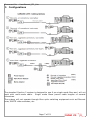
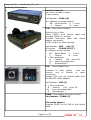
1. Make system connections according to chosen system configuration. Ensure all
cables are connected to the system.
2. Turn on mains power to the base. Ensure power is present at the head and the
base. Note that the head powers up several seconds later than the base to reduce
power inrush loading on initial power on.
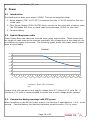
3. Check fibre levels using the LED display at head or base.
4. Set camera number using the menus on the base.
5. Set the serial communications standard (RS232 by default). If a remote control
panel is used, check its operation.
6. Set the head programme audio options using the LCD - Line level by default.
7. Set the head headphone microphone input options using the LCD - mic level by
default. Adjust the headphone volume level.
8. Enable phantom power to the headphones as required using the LCD.
9. System should be operational.
Page 8 of 23