1
User Manual
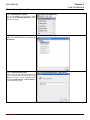
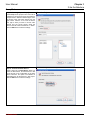
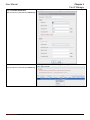
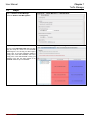
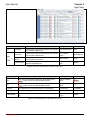
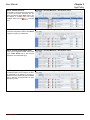
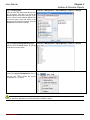
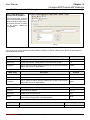
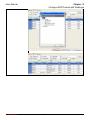
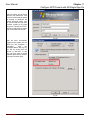
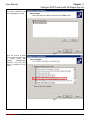
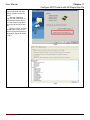
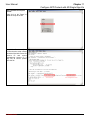
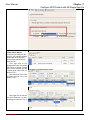
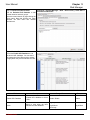
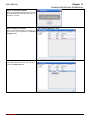
Step 5 Pick the start time
Select the Start Time and click the OK button
to close the dialog.
Chapter 9
Address & Schedule Objects
Functions > Content Manager > Object Manager > Schedule > Objects
The settings for Stop Time are the same.
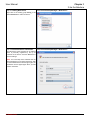
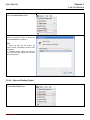
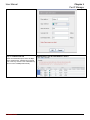
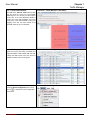
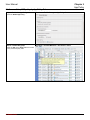
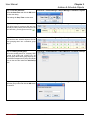
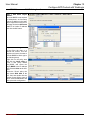
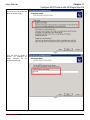
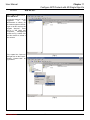
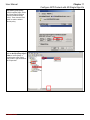
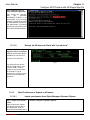
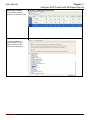
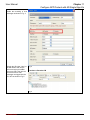
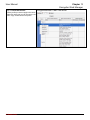
Step 6 Weekday schedules
The office hours for company ABC are from
Monday to Friday. Move your mouse over the
area and click, you will get an icon like
.
Functions > Content Manager > Object Manager > Schedule > Objects
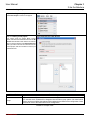
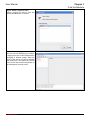
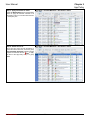
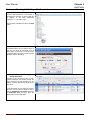
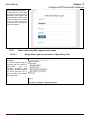
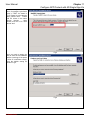
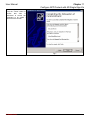
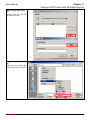
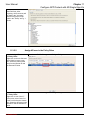
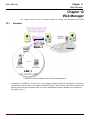
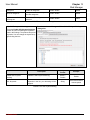
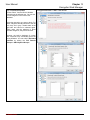
Step 7 Browse the results
Now we have two schedule objects. We can
start grouping them into a schedule group
object.
Functions > Content Manager > Object Manager > Schedule > Objects
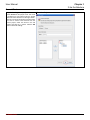
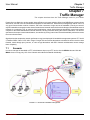
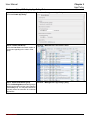
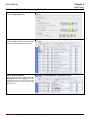
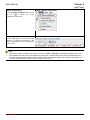
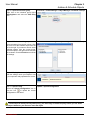
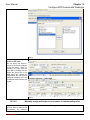
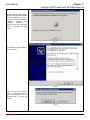
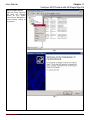
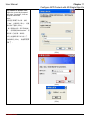
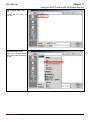
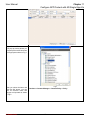
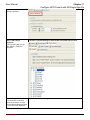
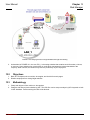
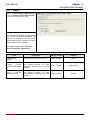
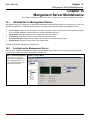
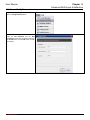
Step 8 Creating a new group
Since the working hours for company ABC
include 8:30~12:00 and 13:00~17:30, we
have to group them into a group object so as
to facilitate management of policy rules.Right
click on the area and select the Add Group
item.
Functions > Content Manager > Object Manager > Schedule > Groups
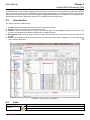
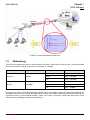
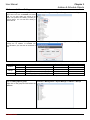
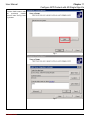
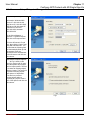
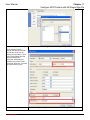
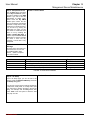
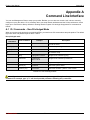
Step 9 Input the group name
Input the group name and click the OK button
to continue.
Functions > Content Manager > Object Manager > Schedule > Groups
L7 Networks Inc.
67