1
Conventions Used in This Guide
All Digidesign guides use the following conventions to indicate menu choices and key commands in D-Show and
Pro Tools:
:
Convention
Action
File > Save Session
In Pro Tools, choose
Save Session from the
File menu
Options > System Config
In the D-Show software
screen, click Options to
display the Options
page, then click the System Config tab.
Ctrl+N
Hold down the Control
key and press the N key
Ctrl-click
Hold down the Control
key and click the mouse
button
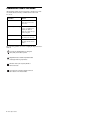
The following symbols are used to highlight important information:
User Tips are helpful hints for getting the
most from your D-Show system.
Important Notices include information that
could affect data or performance.
Shortcuts show you useful keyboard or
mouse shortcuts.
Cross References point to related sections in
the D-Show or Pro Tools Guides.
2 DSO Option Card