1
2
Initial Setup File Maintenance
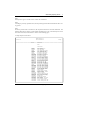
E End Account Must Be Greater or Equal to Start Account
E End Component Must be Greater or Equal to Start Component
W End Account Not in Chart of Accounts File
W Start Account Not in Chart of Accounts File
W Unit Type/End Account Not in Unit Accounts File
W Unit Type/Start Account Not in Unit Accounts File
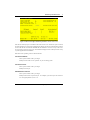
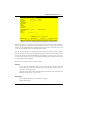
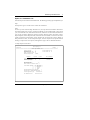
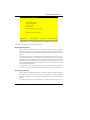
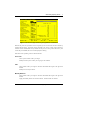
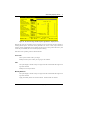
Press ENTER to display system-supplied information and then press ENTER again to save the information on this screen.
Select the Previous Image option to go back to the Allocation Accounts screen. Select the Next Record
option to go to the next Receiving Allocation Accounts record. Select the End option to go the next
Allocation Accounts record.
At this screen, the use of the MODE keys - ADD, DEL, CHG, or INQ - pertain to those records in the
Receiving Allocation Accounts file.
Option 8 - Budgets
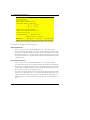
You can use this function to enter monthly budget amounts for each budget type and account number
combination. This information may be printed on financial statements or on Budget Analysis reports.
You can enter or edit budget amounts for fiscal months 1 to 13, plus Start-of-Year and End-of-Year.
Each amount represents the net activity for the month. You can also enter an annual amount and let the
system allocate the amount evenly by month or week. For revenue and expense accounts the Start-ofYear amount generally should be zero. If your system includes the Budget Analysis application, before
you decide to add a large number of budget records you may wish to use one or more of the utility
functions provided on its Utilities menu. These utilities allow you to create, copy, and delete budget
records very quickly. The created records can then be edited using this Budgets function.
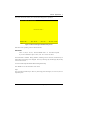
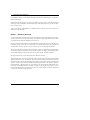
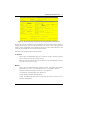
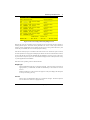
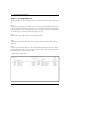
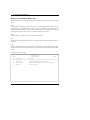
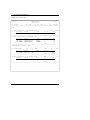
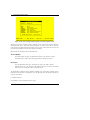
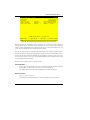
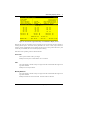
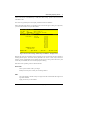
The screen shown below presents information about Budgets.
56
General Ledger System Administration Manual