1
SHOGUN BARE BONES
QUICK START GUIDE
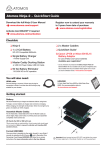
Thank you for purchasing the Atomos Shogun, the world’s most advanced Monitor-Recorder designed to save you time and
money for 4K and HD video production. With so many Recorder, Monitor, Playback & Edit features included, please take the
time to read through this Quick Start Guide and register your product (www.atomos.com/registration) for free updates and
extended warranty. We truly hope this becomes your “4K Creative Weapon” of choice.
DOWNLOAD THE FULL SHOGUN
USER MANUAL
EXTENDED 3 YR WARRANTY
Register now to extend your warranty to 3 years
from date of purchase.
www.atomos.com/support
www.atomos.com/registration
ACTIVATE AVID DNxHD®
IF REQUIRED
www.atomos.com/activation
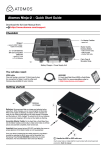
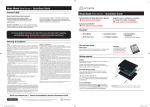
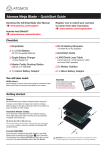
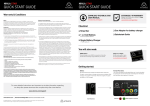
Checklist
q 1 x Shogun Recorder
q 1 x Soft Carry Case
q 1 x Master Caddy II Caddies
q QuickStart Guide
q 1 x AC/DC Power Supply
110-240V AC to DC operation
You will also need:
HD-SDI / HDMI Cable/s
The Shoguns BNC Connectors support SMPTE standards
of 259M, 292M and 296M. HDMI cables need to support
the HDMI 1.4 High Speed standard. Any make of HD/SD-SDI
& HDMI cable that supports these standards can be used.
SSD
Solid State Drive [SSD]. For
recommendations refer to:
> www.atomos.com/drives
Optional Accessories:
Depending on the application where Shogun will be used you may
require some of the optional accessories available from Atomos.
Sunhood, batteries, hard carry case, break out XLR cable, battery
charger, D-tap adapter, Canon & Nikon battery plates, Master caddy
docking station, additional master caddies & Lanc cables are all available
from authorized Atomos resellers.
Getting started:
Power:
We recommend that you use the provided power supply or charge
new batteries before using them. To begin, connect optional battery to
charger and commence charging. While charging, the red charge light
will illuminate. When the red charge light turns green, the battery is 100%
charged.
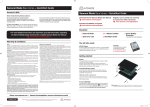
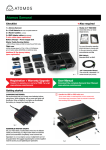
Assemble the Master Caddie II:
Fix the Solid State Drive into the Master Caddy as shown (right).
Align screw holes on all three pieces and assemble completely.
Insert screws last.
Handle the SSD with care
Touch screw holes or metal shell first. Avoid contact with circuit board
and connectors. Refer to manual if unfamiliar with handling ESD sensitive
devices.
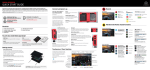
Format SSD:
Once your drive is inserted into the caddy, format it in your Shogun
recorder by selecting the BLUE arrow
next to Recording Time
Remaining, Press Format HDD/SSD and follow the on-screen
instructions. For more information refer to the User Manual.
Shogun QSG Barebones.indd 3
Important: Insert screws last and DO NOT over-tighten the screws
or proper alignment of the Master Caddy cannot be guaranteed.
21/05/2015 5:11 pm