1
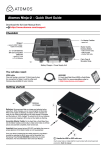
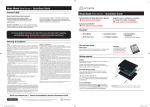
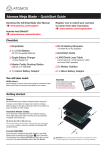
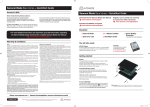
SHOGUN BARE BONES
QUICK START GUIDE
Connect and power-up
Attach optional Battery / Power
Station:
Battery
To utilize Atomos continuous power
functionality connect the optional
Atomos Power Station via the DC power
connection on the Shogun.
Push release button to remove battery
The Shogun utilizes only one battery
source at a time. This way a battery
can be removed, charged and
replaced during operation so long
as one battery with adequate charge
remains connected. Refer to the User
Manual for more information.
4K HD SDI Out: This is for connection to an
external monitor or other device with an HD-SDI
input
Align the connectors, Gently push down on
the battery and slide into the lock position
Attach the optional battery to the Shogun.
4K HD SDI In: The video input connection
used to record to the Shogun’s storage media.
HDD/SSD Master Caddy II
Line up the Master Caddy II to the Shogun disk bay and
firmly slide into place. To remove, gently pull the drive out.
IMPORTANT: Avoid removing the drive whilst recording
as this may cause corruption
On/Off & Screen lock:
Genlock: For connection to a central Genlock
oscillator to maintain clock frequency sync
across multiple devices.
Tally Light
Briefly press the circular button on the side
of the Shogun to power-up the unit. To shut
down, depress button for at least 4 seconds
(until unit turns off)
Red Tally light indicates active recording
Battery Latch
Press the release button to remove the battery
LANC Remote
When in operation, a single press of the
power on/off button will lock the display and
controls. A second press will enable the
display and controls again.
Optionally control the Shogun using LANC
remote control connected here (use a 2.5mm
TRS/ 3-pin plug). Share remote control with
other devices (loop through) by connecting
them to the second LANC connector cable
Breakout XLR Connector:
Connect the optional XLR breakout cable for
Line Level in / Mic Level In functionality with
+48v Phantom Power.
Stereo Line Out
Stereo Line out for monitoring Headphones
HDMI In
DC Power
The video input connection used to record
to the Shogun’s storage media.
Connect DC power from an external source
such as the optional Atomos Power Station,
the Shogun will automatically switch to this
source.
HDMI Out
This is for connection to an external monitor
or other device with an HDMI input
Touchscreen / User Interface
The Shogun is controlled by a simple userfriendly touchscreen interface. Pictured are
the main controls seen when the Shogun is
first powered up and there is a video input
connection.
Pay special attention to any items on screen
which are marked by a small blue arrow.
Touch these items to access or cycle
through the available options.
For example, touching the Video Input
Format will bring up the central input /
output menu.
Video Input Format Recording
File Name Recording Time
and Pulldown Status
Quality Scene/Shot/Take
Remaining
Record Status &
Pulldown Indicator
Source input
for recording
Status indicating
attention is required
Video Input
Resolution
Output Video
Resolution
Monitor Assist
Functions
Record Trigger
Audio Control Panel
- Tap to control
audio input sources,
gains and channel
monitoring/recording.
Please refer to the
manual for more
information.
Time code Settings
-40 -30
-20
-12 -6
0
Headphone
Line Out Volume
Waveform
Monitoring
Rec/Play/Menu
Shogun QSG Barebones.indd 4
Continuous Power/
Battery Indicator
Cut and Tag
Favorite/Reject
Display Options
Monitor
Assist
21/05/2015 5:11 pm