1
Particle Count ..................................... P
Number (Yellow)
Particle Max Age .................................. P
Number (Yellow)
Source Accel (Source Acceleration) ........... P
Post-Burt Movement (Orange)
Source Max Age ................................... P
Number (Yellow)
Source Omega...................................... P
Source Patterns (Green)
Start Alpha ......................................... P
Appearance (Purple)
Start Color ......................................... P
Appearance (Purple)
Start Engle ......................................... P
Source Patterns (Green)
Start Scale ......................................... P
Appearance (Purple)
Target .............................................. T
Post-Burt Movement (Orange)
Target Key ......................................... P
Post-Burt Movement (Orange)
Texture.............................................. P
Appearance (Purple)
Wind ................................................. T
Post-Burt Movement (Orange)
Write Script ........................................ S
System (Blue)
Z-Bounce ........................................... T
Post-Burt Movement (Orange)
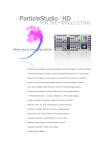
The above illustration shows the console’s buttons, some buttons with the LEDs on (the green
dots), a deactivated button (the grayed-out “End Scale” button), a selected button (the red
“Burst Speed Min” button), and an activated slider (the Speed slider with the Speed scale
shown above it).
InkWelle Particle Designer
© 2008 InkWelle Productions
7