1
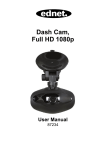
☞Appearance of DVR
① Power Button:
Short press used for starting up or Opening menu,
Long press used for Shutting down DVR.
Short press: press button not more than 2 seconds.
Long press: press button for more than 2 seconds.
② Video Button:
Short press used for Video or entering next option.
③ OK Button:
Short press used for “Select/Play/Pause”,
Long press used for changing work mode between video mode and
playback mode.
④ Snapshot Button:
Short press used for snapshot or entering last option.
⑤ Lens
⑥ 2.0-inch TFT Panel
⑦ Reset Button:
⑧ Speaker
⑨ USB Port
⑩ TF Card Slot