1
Setting up The Profiler
Step 3: Go into the Control Panel
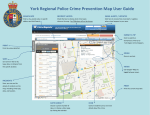
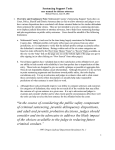
Once you have logged in, you will see The Profiler home page, similar to the image below.
In order to proceed with setting up, you will need to enter the Control Panel.
a
a
Home
Where seen, this will bring
you back to The Profiler
home screen, similar to
what is seen above.
b
b
My Account
Here you will be able to
see your account details,
including client code,
username and password.
c
Control Panel
Will take you to the
management and set up
part of The Profiler.
Copyright 2013 Do-IT Solutions. All rights reserved.
c
d
d Logout
This will allow you to
safely logout of The
Profiler. You will need your
username and password
to re-enter the system.
Page 8 of 34