1
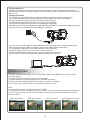
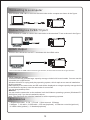
Connecting to a computer
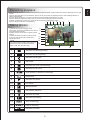
Use attached USB cable to connect the camcorder to the computer as shown in the figure.
Connecting to a CVBS TV port
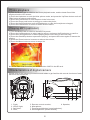
Use attached AV cable to connect the camcorder to the standard TV set as shown in the figure.
HDMI Output
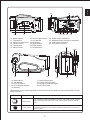
Connect the camcorder to a HD TV as shown with the HDMI cable
Note: One end of the HDMI cable must be A-type interface, and the other end must be C-type interface.
Driver
Large-capacity storage
This camcorder can provide large-capacity storage via the built-in card reader. You can use this
camcorder as a USB device.
Windows Vista/XP is a plug-and-play operating system, which requires no manual installation
of drive program.
EMS memory of the camcorder and SD card will be displayed as a large-capacity storage device
in the Windows explorer once the camcorder is connected.
You can drag and drop files.
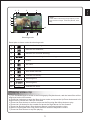
Webcam
You can use the camcorder as the webcam in all the Windows operating systems (Windows XP/
2000/Vista) only if you have installed the driver.
Note: The webcam driver shall be installed for all the operating systems.
Accessories
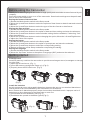
1.Digital camcorder 2.CD 3. Pouch 4.User manual 5.Battery
6.Adapter 7.AV cable 8.USB cable 9.SD card(optional) 10.Remote controller(optional)
11.HDMI cable(optional) 12.Headset(optional)
12