1
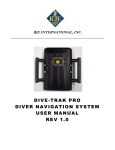
RJE INTERNATIONAL, INC. DTI-300A DIVER ACOUSTIC RECEIVER USER MANUAL REV 1.0 Forward This manual is comprised of figures and text intended to provide descriptions and instructions for the deployment, operation, and maintenance of the RJE International DTI-300A Diver Acoustic Receiver. The information herein is arranged into chapters and sections as follows: Chapter 1 – An overview of the DTI-300A. General notes, with brief descriptions of applications and physical characteristics of the DTI-300A Diver Acoustic Receiver. Chapter 2 – Specifications. Sections comprised of lists of both general and unique-to-the-unit specifications. Chapter 3 – Operation and Deployment Notes. Sections detail the unpacking, battery charging and pre-deployment procedures. Chapter 4 - Maintenance. Sections detail periodic maintenance. Appendices – Separate appendices contain mechanical and electrical drawings and diagrams, parts lists, and integrated components list. Please forward comments, questions, suggestions, or problems with the text, figures, or equipment to RJE International. ii RJE International, Inc. Tel: (949)727-9399 Fax: (949)727-0070, E-mail: [email protected] Web Page: www.rjeint.com PROPRIETARY MATERIAL The descriptions, procedural information, photos, figures, drawings, illustrations, in this manual are the property of RJE International, Inc. Materials may not be reproduced or disseminated without the prior written consent of RJE International. RJE International reserves the right to make changes in design or specifications at any time without incurring any obligation to modify previously installed units. This manual is provided for information and reference purposes only and is subject to change without notice. LIMITED WARRANTY RJE International, Inc. (RJE) guarantees its products to be free from defects in materials and workmanship for a period of one year from the date of shipment. In the event a product malfunctions during this period, RJE’s obligation is limited to the repair or replacement, at RJE’s option, of any product returned to the RJE factory. Products found defective should be returned to the factory freight prepaid and carefully packed, as the customer will be responsible for any damage during shipment. Repairs or replacements, parts, labor, and return shipment under this warranty will be at no cost to the customer. This warranty is void if, in RJE’s opinion, the product has been damaged by accident or mishandled, altered, or repaired by the customer, where such treatment has affected its performance or reliability. In the event of such mishandling, all costs for repair and return freight will be charged to the customer. All products supplied by RJE that are designed for use under hydrostatic loading have been certified by actual pressure testing prior to shipment. Any damage that occurs as a direct result of flooding is NOT covered by this warranty. If a product is returned for warranty repair and no defect is found, the customer will be charged a diagnostic fee plus all shipping costs. Incidental or consequential damages or costs incurred as a result of a product’s malfunction are not the responsibility of RJE. Equipment not manufactured by RJE is supported only to the extent of the original equipment manufacturers (OEM) original warranties. All OEM sensors that utilize electrodes (oxygen cartridges, pH, ORP, etc.) are warranted at the time of shipment, and shall perform upon initial installation within stated specifications. If the product proves to be defective within the OEM’s warranty, RJE will replace the product or defective part with a similar model, product or part, but only to the extent that the OEM warrants. All returned products must be accompanied by a Case Number issued by RJE. Shipments without a Case number will not be accepted. iii RJE International, Inc. Tel: (949)727-9399 Fax: (949)727-0070, E-mail: [email protected] Web Page: www.rjeint.com LIABILITY RJE shall not be liable for incidental or consequential damages, injuries, or losses as a result of the installation, testing, operation, or servicing of RJE products. RETURN PROCEDURE Before returning any equipment to RJE, you must contact RJE and obtain a Case number. The Case number assists RJE in identifying the origin and tracking the location of returned items. When returning items to RJE from outside the United States, follow the checklist presented below to prevent any delays or additional costs. Include with all shipments two copies of your commercial invoice showing the value of the items and the reason you are returning them. Whenever possible, send copies of the original export shipping documents with the consignment. Route via courier (FedEx or UPS). If there is more than one item per consignment, include a packing list with the shipment. It is acceptable to combine the commercial invoice and packing list with the contents of each carton clearly numbered and identified on the commercial invoice. If it is necessary to ship via airfreight, contact RJE for specific freight forwarding instructions. You will be charged for customs clearance and inbound freight. Insure the items for their full value. Refer to the RJE issued Case number on all documents and correspondence. Prepay the freight. TITLE Title shall pass to buyer on delivery to carrier at Irvine, CA. Risk of damage or loss following such delivery shall be to the buyer and RJE International shall in no way be responsible for safe arrival of the shipment. Title shall so pass to buyer regardless of any provision for payment of freight or insurance by RJE International or of the form of shipping documents. If shipment is consigned to RJE International, it shall be for the purpose of securing buyer’s obligations under the contract. iv RJE International, Inc. Tel: (949)727-9399 Fax: (949)727-0070, E-mail: [email protected] Web Page: www.rjeint.com THIS PAGE IS INTENTIONALLY LEFT BLANK v RJE International, Inc. Tel: (949)727-9399 Fax: (949)727-0070, E-mail: [email protected] Web Page: www.rjeint.com TABLE OF CONTENTS FORWARD WARRANTY 1 – Introduction to the DTI-300A 1.1 Overall Description ......................................................................................................... 1 2 – DTI-300A Specifications 2.1 DTI-300A Specifications ................................................................................................ 2 3 – DTI-300A Operations & Installation Notes 3.1 Introduction..................................................................................................................... 4 3.2 System Components ...................................................................................................... 4 3.3 Unpacking ...................................................................................................................... 4 3.4 Display and Control Settings .......................................................................................... 5 3.5 Powering Up and Shutting Down the DTI-300A ............................................................. 9 3.6 Selection of Operation and the “Mode Screen” ............................................................ 10 3.7 DTI-300A Pre-Deployment Setup and Check-out ........................................................ 10 3.8 DTI-300A Operating Procedures .................................................................................. 11 4 – DTI-300A System Maintenance 4.1 Maintenance ................................................................................................................. 14 4.2 Charging the Battery .................................................................................................... 14 4.3 Calibrating the Electronic Compass ............................................................................. 16 4.4 Replacing the DTI-300 Rechargeable Battery Pack..................................................... 17 vi RJE International, Inc. Tel: (949)727-9399 Fax: (949)727-0070, E-mail: [email protected] Web Page: www.rjeint.com TABLE OF CONTENTS (Continued) APPENDICES APPENDIX A – MECHANICAL AND ELECTRICAL DRAWINGS APPENDIX B – SPARES LISTING ILLUSTRATIONS FIGURE 1-1 Model DTI-300A Diver Acoustic Receiver ....................................................... 1 FIGURE 3-1A DTI-300A ...................................................................................................... 4 FIGURE 3-1B Battery Charger ............................................................................................ 4 FIGURE 3-1C Wrench ......................................................................................................... 4 FIGURE 3-2 Zoomed View of Display and Controls in Active Mode ................................... 5 FIGURE 3-3 Display and Controls in Active Mode ............................................................. 7 FIGURE 3-4 Zoomed View of Display and Controls in Passive Mode................................. 7 FIGURE 3-5 Display and Controls in Passive Mode ........................................................... 9 FIGURE 3-6 Power ON/OFF Switch .................................................................................... 9 FIGURE 3-7 Charging Port ................................................................................................ 10 FIGURE 4-1 Charging Port Plug Removal......................................................................... 15 FIGURE 4-2 Charger Connected to DTI-300A .................................................................. 15 FIGURE 4-3 DTI-300A Compass Calibration .................................................................... 16 FIGURE 4-4 DTI-300A Hard Iron Compass Calibration X-Y Operation............................. 16 FIGURE 4-5 DTI-300A Hard Iron Compass Calibration Z Operation ................................ 17 FIGURE 4-6 DTI-300A Compass Calibration is Complete ................................................ 17 TABLES TABLES 2-1 DTI-300A Specifications ................................................................................. 2 TABLES 3-1 DTI-300A Display and Controls ..................................................................... 5 vii RJE International, Inc. Tel: (949)727-9399 Fax: (949)727-0070, E-mail: [email protected] Web Page: www.rjeint.com 1 Section INTRODUCTION TO THE DTI-300A 1.1 Overall Description The RJE International DTI-‐300A (Figure 1-‐1) is the next generation in diver marking and relocation. Using the latest in underwater acoustic technology, the DTI-‐300A allows divers to mark targets underwater and relocate with active and passive technology. Designed for use by divers, the DTI-‐300A Diver Acoustic Receiver can operate as an active transponder/interrogator or a passive pinger receiver to accurately navigate a diver to a target or location that has been marked with an ATT-‐400 Underwater Transponder or acoustic pinger to within 1 meter (3ft). Figure 1-1 DTI-300A In Active Mode the DTI-‐300A sends a CW signal through the water up to 1000(3281ft) meters away. Once an ATT-‐400 receives this signal, it responds to the DTI-‐ 300A and, by receiving the signal on multi elements, the DTI-‐300A provides range and bearing to the diver. In Passive Mode, the DTI-‐300A passively listens for a ping corresponding to the frequency between 25 kHz to 40 kHz. Once a ping is detected the DTI-‐300A, by receiving on multiple elements, provides relative signal strength and bearing to the diver. The DTI-‐300A is a multi-‐channel system that allows the diver to track up to eight different ATT-‐400s for up to 6 hours. Using sealed switches on the panel of the DTI-‐300A, a diver can select the corresponding frequency on the LCD display for the ATT-‐400 to be located. The DTI-‐300A has a single external connector for the battery charger and is shipped with a battery charger in a durable, weatherproof carrying case. 1 RJE International, Inc. Tel: (949)727-9399 Fax: (949)727-0070, E-mail: [email protected] Web Page: www.rjeint.com 2 Section DTI-300A SYSTEM SPECIFCATIONS 2.1 DTI-300A Diver Acoustic Receiver Table 2-1 DTI-300A Diver Acoustic Receiver Specifications Active Mode Transmit Frequency 26kHz Acoustic Source Level 190 dB re 1µPa @ 1 meter Transmit Repetition Rate Normal: 1.0 sec Transmit Pulse Length 5.0 ms Receive Frequency Switch-‐selectable to 27, 28, 29, 30, 31, 32, 33, 34 kHz Acoustic Range 1000m (3281ft), Resolution 1m (3.28ft) Acoustic Bearing Range +/-‐ 30 Deg., Resolution 5 Deg. Passive Mode Frequency 25kHz to 40kHz in 100Hz increments Acoustic Bearing Range +/-‐ 30 Deg., Resolution 5 Deg. Electrical Display LCD Controls Piezoelectric Switches Power Source Rechargeable NiMH Battery Charger 100-‐240VAC, 50/60Hz, 2.0A Operating Life 6 hours Electronic Compass Accuracy <0.5 to 1.5 Deg. RMS Repeatability +/-‐ 0.3 Deg. 2 RJE International, Inc. Tel: (949)727-9399 Fax: (949)727-0070, E-mail: [email protected] Web Page: www.rjeint.com Mechanical Operational Depth 100m (328ft) Housing Material Delrin and polycarbonate; O-‐ring sealed Dimensions 33cm (L) x 23cm (W) x 7cm (H) 13 in (L) x 9in (W) x 3in (H) Weight In Air: 3.6kg (12 lbs.): In Water: -‐0.185kg (-‐0.5 lbs.) Accessories Battery charger, wrench, user’s manual Specifications are subject to change 2.3 Specifications Unique to Unit(s) Shipped 3 RJE International, Inc. Tel: (949)727-9399 Fax: (949)727-0070, E-mail: [email protected] Web Page: www.rjeint.com 3 Section OPERATIONS & INSTALLATION NOTES 3.1 Introduction The DTI-‐300A Diver Acoustic Receiver comes with battery charger, wrench, and shipping case. The DTI-‐300A employs a LCD display to provide navigation data to the user while sealed switches allow access to the control functions of the unit. Once an ATT-‐400 or acoustic source has been detected, the DTI-‐300A provides accurate range and bearing to (Active Mode) or signal strength and direction (Passive Mode) to an underwater acoustic device. In addition, an internal electronic compass assists the diver in navigating to the marked location. 3.2 Components • • • DTI-‐300A Diver Acoustic Receiver with electronic compass (Figure 3-‐1A) Battery charger assembly (Figure 3-‐1B) Wrench (Figure 3-‐1C) Figure 3-1B Battery Charger Assembly Figure 3-1C Wrench Figure 3-1A DTI-300A0 Diver Acoustic Receiver 3.3 Unpacking When opening the shipping cartons, carefully inspect each piece of equipment as it is unpacked, and report any damage to the freight carrier and to RJE International. As with any sophisticated electronic equipment, RJE International products should be handled with a reasonable amount of care during unpacking, transporting and storing. Pay particular attention to make sure that: 4 RJE International, Inc. Tel: (949)727-9399 Fax: (949)727-0070, E-mail: [email protected] Web Page: www.rjeint.com • There is no damage to the housing. • The control switches are installed and work properly. • The battery charger power cord and its plug-‐in connector are in good condition. 3.4 DTI-300A Display and Control Functions All functions of the DTI-‐300A Diver Acoustic Receiver are accessed by viewing the LCD display and using the control switches on the left and right sides of the instrument (Figure 3-‐2). HEADING BEARING RECEIVE TRANSMIT RANGE CHANNEL FREQUENCY BATTERY LEVEL Figure 3-2 Zoomed View of Display in Active Mode Table 3-1 DTI-300A Active Mode Display and Controls DISPLAY T XX m: Heading DESCRIPTION Battery Level Indicator Marker flashes each time the Diver Acoustic Receiver sends an interrogation signal. Displays the Range in meters to the ATT-‐400 set to the selected Channel Displays the heading from the electronic compass 5 RJE International, Inc. Tel: (949)727-9399 Fax: (949)727-0070, E-mail: [email protected] Web Page: www.rjeint.com Bearing Indicator • • • • Nine Arrows show the direction adjustment required to determine bearing to the target: When the unit is pointed directly at the target, only the center arrow is illuminated. As the direction moves off center to the left, arrows to the left of the center arrow will be illuminated. Likewise, when the direction moves off center to the right, arrows to the right of the center arrow will be illuminated. The number of arrows displayed shows the movement required to correct the aim to the target: One arrow indicates the direction is off about 5 degrees. Two arrows indicate the direction is off as much as 10 degrees. Three arrows indicate the direction is off by as much as 20 degrees. Four arrows indicate the user is direction by more than 30 degrees. R Indicator illuminates each time the Diver Acoustic Receiver receives an acoustic signal at the selected frequency. FREQ: Frequency currently selected from the frequency up down switches. ATT-‐400 Channel 0=27kHz 1=28kHz 2=29kHz 3=30kHz 4=31kHz 5=32kHz 6=33kHz 7=34kHz SWITCH FUNCTION Frequency DOWN Decrements the frequency by 1kHz Frequency UP Increments the frequency by 1kHz Mode Switch The Mode control allows the user to turn the unit display ON and OFF as well as change mode from passive to active or back. It also 6 Calibration accesses the Compass Fast Interrogate Switch between normal and fast interrogate. Fast interrogates transponder at 0.55 sec rate. 6 RJE International, Inc. Tel: (949)727-9399 Fax: (949)727-0070, E-mail: [email protected] Web Page: www.rjeint.com TRANSDUCER MODE CHANGE SCREEN FREQUENCY UP FREQUENCY DOWN FAST INTERROGATE Figure 3-3 Display and Controls in Active Mode BEARING HEADING RECEIVE PASIVE MODE SIGNAL STRENGTH CHANNEL FREQUENCY BATTERY LEVEL Figure 3-4 Zoomed View of Display Passive Mode 7 RJE International, Inc. Tel: (949)727-9399 Fax: (949)727-0070, E-mail: [email protected] Web Page: www.rjeint.com Table 3-1 DTI-300A Passive Display and Controls DISPLAY Description Battery Level Indicator P Indicates DTI-‐300A is in Passive Mode Displays signal strength of detected pinger transmission. Heading Displays the heading from the electronic compass. Bearing Indicator • • • • Nine Arrows show the direction adjustment required to determine bearing to the target: When the unit is pointed directly at the target, only the center arrow is illuminated. As the direction moves off center to the left, arrows to the left of the center arrow will be illuminated. Likewise, when the direction moves off center to the right, arrows to the right of the center arrow will be illuminated. The number of arrows displayed shows the movement required to correct the aim to the target: One arrow indicates the direction is off about 5 degrees. Two arrows indicate the direction is off as much as 10 degrees. Three arrows indicate the direction is off by as much as 20 degrees. Four arrows indicate the user is direction by more than 30 degrees. R FREQ: Indicator illuminates each time the Diver Acoustic Receiver receives an acoustic signal at the selected frequency. Frequency currently selected from the frequency select switches SWITCH 100Hz Up FUNCTION Increase frequency by 100Hz 100Hz Down Decreases frequency by 100Hz Mode Switch The Mode control allows the user to turn the unit display ON and OFF as well as change mode from passive to active or back. It also accesses the Compass Calibration. 1kHz Adjustment Increase frequency by 1kHz from 25kHz to 40kHz 8 RJE International, Inc. Tel: (949)727-9399 Fax: (949)727-0070, E-mail: [email protected] Web Page: www.rjeint.com 100HZ FREQUENCY ADJUSTMENT UP MODE CHANGE SCREEN 100HZ FREQUENCY ADJUSTMENT DOWN 1KHZ FREQUENCY ADJUSTMENT Figure 3-5 Display and Controls in Passive Mode 3.5 Powering up and shutting down the DTI-300A Power is supplied to the electronics of the DTI-‐300A through a mechanical switch at the base of the unit. Turing the switch to the “ON” position applies power to the electronics and the LCD will light up. To continue the “power up” process, press any button on the top of the unit within 10-‐seconds. Failure to do so will cause the LCD display to shut down. To power down the unit completely, turn the mechanical switch at the base of the unit to the off position. Figure 3-6 Power ON/OFF Switch 9 RJE International, Inc. Tel: (949)727-9399 Fax: (949)727-0070, E-mail: [email protected] Web Page: www.rjeint.com 3.6 Selection of Operation and the “Mode Screen” Once the DTI-‐300a is been powered up and the LCD is active, press the top right switch will lead you to the “Mode Screen”. Once you have chosen mode you have 10 seconds to make a selection or the unit will shut down to conserve power. In the mode screen, you have three options: >Compass Calibration (see Section 4.2) >Change Mode of operation (Active or Passive) Note: Once you have made a selection you have 10 seconds to confirm by pressing the top right button to move into that mode. >Exit (shut unit down) 3.7 DTI-300A Pre-deployment Setup and Check-out • Inspect the pressure housing and all enclosure screws before diving. • WARNING: MAKE SURE THE PORT PLUG COVERING THE CHARGING JACK IS INSTALLED. PORT PLUG Figure 3-7 Charging Port Plug Perform an in-‐air check of the DTI-‐300A using the following sequence: >Turn the receiver on (fig 3.6) by using the switch at the base of the unit and press any control switch before 10 seconds to confirm activation. >Confirm what mode you want to operate in, Active (transponder) or Passive (acoustic pinger). If the DTI-‐300A is in the wrong mode for the chosen in-‐air check use section 3.6 to change the mode. 10 RJE International, Inc. Tel: (949)727-9399 Fax: (949)727-0070, E-mail: [email protected] Web Page: www.rjeint.com ACTIVE MODE (transponder mode using an ATT-‐400) • Press UP or DOWN button and verify the FREQ: display corresponds with the ATT-‐400 channel setting (Channel 0 -‐7 or 27, 28, 29, 30, 31, 32, 33, 34 kHz). • Use an ATT-‐400 transponder that is set at same channel (frequency) as selected on the DTI-‐300A receiver. Activate the transponder by placing it into a glass of water and place the two devices within half a meter of each other. • Aim the front DTI-‐300A at the transponder and verify that it is receiving a signal from the other device. The R indicator will flash, and the unit will display a range and bearing to the transponder under test. PASSIVE MODE (acoustic pinger mode operating between 25 kHz and 40 kHz) • Verify the FREQ: display on the LCD corresponds with the acoustic pinger under test. Use the lower right control for 1 kHz up, and use the left control switches to fine tune the frequency (by 100 Hz). • Place the acoustic pinger into a glass of water and place the two devices within half a meter of each other. • Aim the front DTI-‐300A at the pinger and verify that it is receiving a signal from the other pinger. The R indicator will flash, and the unit will display a signal strength and bearing to the pinger under test. Note: The range and bearing acquired during in-‐air testing will not be accurate as air is a slower and more difficult sound medium than water. If the in-‐air testing is not satisfactory, submerge the units in water and repeat the test. 3.8 DTI-300A Operating Procedures The procedures for operating the Diver Acoustic Receiver are quite simple. The unit’s display and indicators are designed to be clear and easy to understand while diving. However, optimum performance of the instrument will result from repeated and patient practice of operating techniques Active (Transponder) Mode Operation • Use the UP and DOWN buttons to select the appropriate receive frequency for the ATT-‐400 transponder that is being relocated. • Descend to the approximate depth of the target transponder. • Hold the unit horizontally and begin a slow 360-‐degree turn. Observing the LCD for an indication of a received signal and a bearing to the transponder. Once the 11 RJE International, Inc. Tel: (949)727-9399 Fax: (949)727-0070, E-mail: [email protected] Web Page: www.rjeint.com ATT-‐400 has responded the R indicator will flash, and the unit will display a range and bearing to the transponder. Note: If the expected range from the DTI-‐300A to the ATT-‐400 is beyond 500 meters, it is recommend that the DTI-‐300A be put into “Fast Interrogate” by pressing the lower right control switch (fig 3-‐2). This will allow for easier acquisition of the ATT-‐ 400. During this mode the range will not be accurate. Once the ATT-‐400 has responded (R indicator will flash and the unit will display bearing) turn off the “Fast Interrogate” function. • When receiving transponder signals, use the bearing indicator to aim the Diver Acoustic Receiver at the target. To correctly determine bearing, the Diver Acoustic Receiver must be positioned horizontally with the display facing up. Note: The DTI-‐300A will be pointed directly at the target when only the center bearing arrow is displayed. When arrows are illuminated to the right of center, adjust the direction to the left. When arrows are illuminated to the left of center, adjust the direction to the right. • Use the compass and the bearing indictor for navigation and begin swimming toward the target. • View the range indicator on the display to acquire an accurate range to the target. • When swimming to the target, monitor the range and bearing on the LCD display until transponder is located. Note: If the range suddenly begins to increase, it is possible to have passed over or under the transponder. Check above and below for the transponder. If visibility is low, point the Diver Acoustic Receiver up and down to see if there is a change in the range. Passive (Pinger) Mode Operation • Verify the FREQ: display on the LCD corresponds with the acoustic pinger that is being located. Use the lower right control for 1 kHz up, and use the left control switches to fine tune the frequency (by 100 Hz). • Descend to the approximate depth of the target pinger. • Hold the unit horizontally and begin a slow 360-‐degree turn, observing the LCD for an indication of a received signal and a bearing to the pinger under search. 12 RJE International, Inc. Tel: (949)727-9399 Fax: (949)727-0070, E-mail: [email protected] Web Page: www.rjeint.com • When receiving pinger signals, use the bearing indicator to aim the Diver Acoustic Receiver at the target. To correctly determine bearing, the Diver Acoustic Receiver must be positioned horizontally with the display facing up. • View the signal strength indicator on the display to acquire an idea of the range to the target. Use the left control switches to fine tune the frequency (by 100Hz) for the strongest signal as displayed on the LCD. • Use the compass and the bearing indictor for navigation and begin swimming toward the target while monitoring the signal strength indicator until pinger is located. Note: If the signal strength suddenly weakens significantly, it is possible to have passed over or under the acoustic pinger. Check above and below for the pinger. If visibility is low, point the Diver Acoustic Receiver up and down to see if there is a change in the signal strength. 13 RJE International, Inc. Tel: (949)727-9399 Fax: (949)727-0070, E-mail: [email protected] Web Page: www.rjeint.com 4 Section DTI-300A SYSTEM MAINTENANCE 4.1 Maintenance Upon completion of each dive mission, take these steps to assure continued reliable performance from the DTI-‐300A. • Turn the equipment OFF with the power switch. • Wash the exterior of the equipment with fresh water and mild detergent. Pay particular attention to cleaning film build-‐up from the transducer face. • Make sure the equipment has been thoroughly dried before storage. • Inspect all system components for damage and wear. Order needed replacement parts if required. • Charge the DTI-‐300A battery. Contact your authorized representative to replace the DT-‐300A battery if the unit fails to hold a charge. • Plan sufficient time before the next use of the equipment to thoroughly test the DTI-‐300A and to charge the battery if needed. • For long-‐term storage > 1 month it is recommended that the charge plug be removed to prevent the possible buildup of gas from a discharged battery. 4.2 Charging the DTI-300A battery It is recommended that the DTI-‐300A be charged before each use. A fully charged battery will provide 6 hours of continuous operation. If the BATT indicator is lit only on the right edge of the battery display or is blinking, the battery needs charging. Follow these steps to charge the battery: ! Caution: Make sure the unit is thoroughly dried before connecting it to an AC power supply. 14 RJE International, Inc. Tel: (949)727-9399 Fax: (949)727-0070, E-mail: [email protected] Web Page: www.rjeint.com • Turn the unit off from the Power Switch • Remove the port plug (Figure 4-‐1) at the rear the DTI-‐300A Figure 4-1 Charging Port Plug Removal ! Caution: Removing the port plug will relieve any pressure caused by charging a battery that has a defective cell. This also vents the gas that may build up in the unit during use and storage. • Plug the battery charger connector into the charging jack inside the DTI-‐ 300 port opening (Figure 4-‐2). Figure 4-2 Charger Connected to DTI-300A • Plug the charger assembly into a standard 100-‐240VAC wall socket. • The charger’s “power on” red LED will light. 15 RJE International, Inc. Tel: (949)727-9399 Fax: (949)727-0070, E-mail: [email protected] Web Page: www.rjeint.com 4.3 • Allow the battery to charge for 3-‐6 hours or until the “charge” green LED is on. • Unplug the charger and remove the connector from the charging jack. • Re-‐install the charge port plug using the tool supplied. Calibrating the Electronic Compass • • Use Section 3.6 to access the “Calibrate Compass” function (Figure 4-‐3). Press “Y” to enter the calibration function. Figure 4-3 DTI-300A Compass Calibration • • • Lay the DTI-‐300A on a flat surface, bottom down, as far away as possible from any ferrous or magnetic objects. Press any control switch button to enter the X-‐Y Calibration mode. Rotate the DTI-‐300A through a complete 360 degree rotation taking more than 20 seconds. The display will indicate varying characters as shown in Figure 4-‐4. Figure 4-4 DTI-300A Hard Iron Compass Calibration X-Y operation • Continue rotating the DTI-‐300 until the display indicates a full row of dots, press any button to move to the z calibration. 16 RJE International, Inc. Tel: (949)727-9399 Fax: (949)727-0070, E-mail: [email protected] Web Page: www.rjeint.com • Orient the DTI-‐300 on its right side and push any button to start the calibration process (Figure 4-‐5). • Rotate the DTI-‐300A through a complete 360 degree rotation taking more than 20 seconds. Continue rotating the DTI-‐300 until the display indicates a full row of dots. Figure 4-5 DTI-300A Hard Iron Compass Calibration Z • When display indicates a full row of dots press button to stop the Z calibration. The compass calibration is complete as shown in fig 4-‐6. Press any button to go to an operational screen. Figure 4-6 DTI-300 Compass Calibration is Complete 4.4 Replacing the DTI-300 batteries The rechargeable battery will remain serviceable for several years under normal operating conditions. When the battery no longer maintains a full charge, replace it with a RJE International supplied battery pack. Return unit to authorized supplier for replacement. 17 RJE International, Inc. Tel: (949)727-9399 Fax: (949)727-0070, E-mail: [email protected] Web Page: www.rjeint.com