1
Functional Description
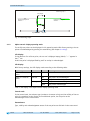
An additional target window (target window2) and an associated visualization can also be
configured (see parameter 31h: Target window2 (extended)).
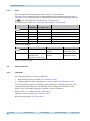
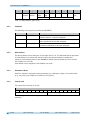
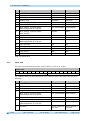
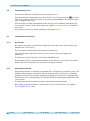
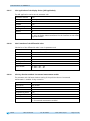
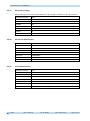
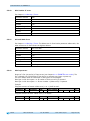
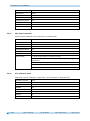
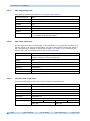
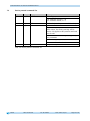
With factory settings, the LED display has the following meaning:
Operating state
There is no valid set
point2.
There is a valid set
point2.
LED
both
Status
off
Meaning
Positioning disabled.
LED left
off
Target window not reached!
The shaft must be rotated clockwise (cw) in
order to reach the target.
Target window not reached!
The shaft must be rotated counter-clockwise
(ccw) in order to reach the target.
Target window reached.
Target window not reached!
The shaft must be rotated counter-clockwise
(ccw) in order to reach the target.
Target window not reached!
The shaft must be rotated clockwise (cw) in
order to reach the target.
Target window reached.
red
green
off
LED right
red
green
Table 3: LED display
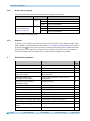
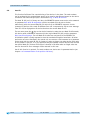
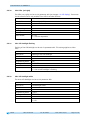
Control word (see chapter 6.3.4: Control word):
The set point is not displayed and positioning not monitored unless the set point2 is marked
as valid in the control word.
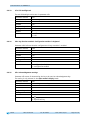
Status word (see chapter 6.3.5: Status word):
Upon reaching target window1, the static and dynamic target-window-reached bits are set in
the status word. The dynamic bit is deleted when leaving target window1. The user must
acknowledge the static bit.
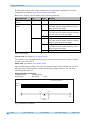
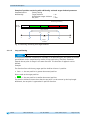
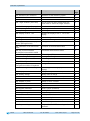
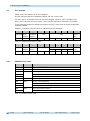
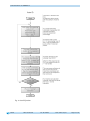
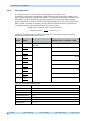
Example Position monitoring:
Parameterization:
Factory setting
Additionally:
Set point2
= 100
Positioning monitoring
LED left
LED right
95
-
105
+
100
Target
window1
Fig. 2: Positioning monitoring
AP10
Date: 03.09.2015
Art. No. 86855
Mod. status 319/15
Page 9 of 46